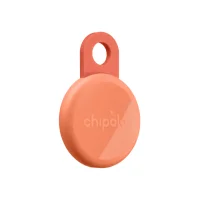
The Chipolo LOOP wins for most people because it taps the massive Apple Find My or Google Find Hub crowd-find networks, recharges over USB-C so you never buy a coin cell, and rings at a piercing 125 dB. The Tile Pro is the better pick if you need its long Bluetooth range, want a battery you can swap yourself, or run a mixed iPhone-and-Android household that wants one identical app on every phone. The LOOP commits to one network at a time and costs a few dollars more; the Tile Pro relies on Life360’s smaller network and locks some features behind a subscription. Your phone, your range needs, and your tolerance for charging decide it.
The Chipolo LOOP and the Tile Pro (2024) sit at opposite ends of the modern keyfinder spectrum. The LOOP is a rechargeable, dual-network tag for Apple’s or Google’s crowd-find systems; the Tile Pro is a long-range, replaceable-battery tracker that works on any phone. According to Chipolo’s official LOOP page, the LOOP recharges over USB-C, lasts up to 1 year, and rings at 125 dB. Here is how the two stack up across the specs that matter.
- The Chipolo LOOP runs on Apple Find My or Google Find Hub — billions of crowd-find devices versus the Tile Pro’s smaller Life360 network
- The LOOP recharges over USB-C for about 1 year per charge — the Tile Pro needs a fresh CR2032 coin cell roughly once a year
- The Tile Pro reaches up to 500 ft of Bluetooth range — longer than the LOOP’s 120m (about 394 ft) for finding items already nearby
- The LOOP rings at 125 dB — still a touch louder than the Tile Pro’s 110 dB and easier to hear under couch cushions
- The LOOP costs $39 and the Tile Pro costs $35 — the LOOP is rated IP67 while the Tile Pro steps up to IP68, and only Tile gates extras behind a Premium plan
Chipolo LOOP vs Tile Pro: Spec Comparison
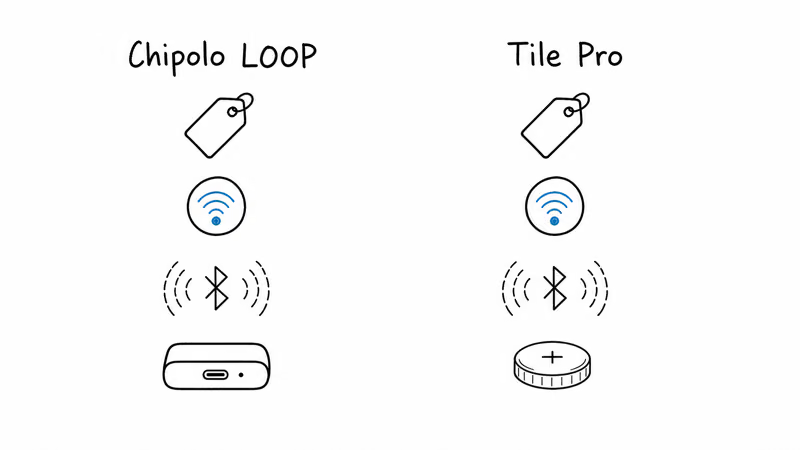
On paper these two trackers chase different goals. The LOOP modernizes the keyfinder with USB-C charging and access to the two largest crowd-find networks on earth, while the Tile Pro doubles down on raw Bluetooth range and a swappable battery that never strands you mid-trip. The LOOP carries an IP67 rating and the Tile Pro steps up to IP68, so the Tile Pro has the slight edge on durability.
The headline trade is network reach versus platform independence. The LOOP rides Apple’s or Google’s network of phones, which means more strangers’ devices can quietly relay your tag’s location. The Tile Pro instead works identically on iOS and Android through one app, no network choice required, but its Life360-powered finding network is a fraction of the size.
| Feature | Chipolo LOOP | Tile Pro (2024) |
|---|---|---|
| Price (single) | $39 | $35 |
| Network | Apple Find My or Google Find Hub (pick one) | Life360 / Tile app (iOS and Android) |
| Bluetooth range | up to 120m (about 394 ft) | up to 500 ft |
| Battery | USB-C rechargeable, about 1 year per charge | CR2032 replaceable, about 1 year |
| Water resistance | IP67 (submersion to 1m) | IP68 (submersion beyond 1m) |
| Alarm | 125 dB | 110 dB |
| Cross-platform | One network per tag | Identical on iOS and Android |
| Subscription | None | Optional Premium for extra features |
Chipolo LOOP vs Tile Pro: Head-to-Head
⇄ Head-to-head
Chipolo LOOP vs Tile Pro
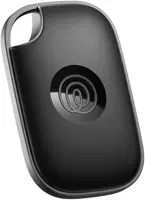
- +USB-C rechargeable, about 1 year per charge, no coin cells to buy
- +125 dB alarm, loud enough to hear through couch cushions or a packed bag
- +Choose Apple Find My or Google Find Hub at setup for billions of crowd-find devices
- +IP67 water resistance, survives submersion to 1 meter
- +Built-in flexible silicone loop attaches to keys without a separate holder
- +Up to 500 ft Bluetooth range, the longest reach of the two
- +Identical experience on iOS and Android through one Tile app
- +Replaceable CR2032 battery, swap it yourself in seconds
- +IP68 water resistance, survives submersion beyond 1 meter
- +Works without an Apple or Google account, fully platform-independent
- −Works with one network at a time, switching needs a factory reset
- −At $39 it's the pricier of the two trackers
- −Sold as a single tag, no multipack on this listing
- −Battery is not user-replaceable, so a worn cell means a new tag eventually
- −No standalone crowd network beyond Apple Find My or Google Find Hub
- −Life360 finding network is far smaller than Apple Find My or Find Hub
- −CR2032 coin cell is not rechargeable, so you buy replacements over time
- −Smart Alerts, location history, and reimbursement sit behind Tile Premium
- −No ultra-wideband, so no directional Precision Finding arrow
- −Rivals like the LOOP ring louder at 125 dB
- ·You want USB-C charging instead of buying coin cells
- ·You rely on the huge Apple Find My or Google Find Hub crowd network
- ·You need the loudest alarm to find items by sound at home
- ·You want a tag with a loop built in, no extra accessory needed
- ·You need the longest Bluetooth range for items already in the building
- ·You run a mixed iPhone-and-Android household on one shared app
- ·You prefer swapping a coin cell over charging a tag
- ·You want a tracker that works with no Apple or Google account
Chipolo LOOP: The Rechargeable Dual-Network Pick
The LOOP is Chipolo’s answer to the two biggest complaints about Bluetooth tags: dead batteries and locked ecosystems. It charges over USB-C and runs for about a year per charge, so you plug it in once a year instead of prying open a battery door. That single design choice is what makes it feel like a 2026 product rather than a refresh of an old keyfinder.
Network choice is its other headline feature. At setup you pick Apple Find My or Google Find Hub, and the LOOP joins that network’s crowd of phones. Apple’s Find My program page states that the network spans hundreds of millions of devices that anonymously relay an item’s location. In a busy spot like a cafe, that density means a LOOP on Find My mode typically refreshes its location within minutes of being left behind.
The catch is that the LOOP only joins one network at a time. Switching from Find My to Find Hub means a factory reset and a fresh pairing, which takes a couple of minutes. For a single-platform household this is a non-issue; for a mixed home it means deciding each tag’s allegiance up front. Our Chipolo LOOP review walks through the setup flow in detail.
Sound is where the LOOP flexes. At 125 dB it’s one of the loudest trackers on the market, loud enough to carry across a floor or two of a typical house. The built-in silicone loop also means you clip it to your keys without buying a separate holder, a small but real convenience.
Tile Pro: The Long-Range Platform-Independent Veteran
The Tile Pro takes the opposite approach: it ignores Apple and Google entirely and runs on Tile’s own network, now powered by Life360. That independence is its quiet superpower. You don’t need an Apple or Google account, and the same Tile app behaves identically whether you hand it to an iPhone or a Pixel user.
Range is the Tile Pro’s signature spec. It reaches up to 500 ft of Bluetooth range, longer than the LOOP, which helps when an item is somewhere in a large house or office and you just want to ring it directly. Android Police’s Tile Pro 2024 review reported that the tag still pinged cleanly from about 500 ft down a clear sidewalk, though real-world walls cut that figure down sharply.
The Tile Pro keeps a replaceable CR2032 coin cell, lasting about a year, so you swap the battery yourself rather than charging the device. Some buyers prefer this; a spare $3 cell in a drawer means a worn tag is back in service in seconds. Tom’s Guide’s hands-on review notes the swappable battery as a point in Tile’s favor versus sealed rivals.
The downside is that the Tile Pro’s finding network is much smaller than Apple’s or Google’s, so a tag that leaves Bluetooth range in a quiet area can go silent longer. Tile also gates several features, including Smart Alerts and 30-day location history, behind Tile Premium at $3 per month or $30 per year. Our Tile tracker review breaks down what is free versus paid.
Which Tracker Finds Lost Items Faster?
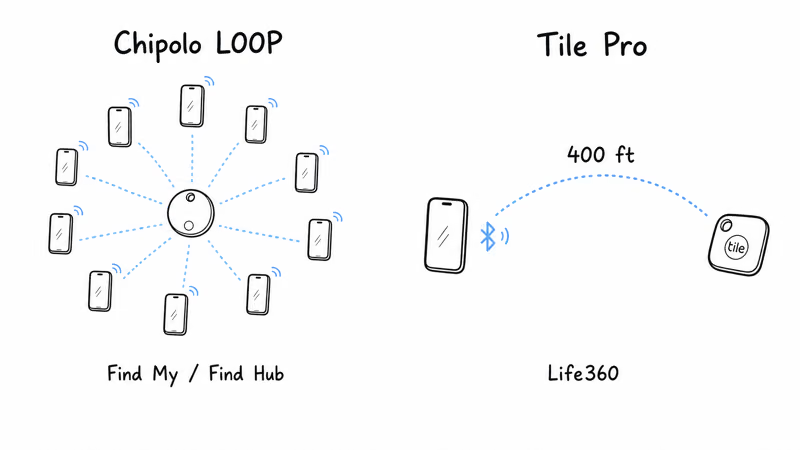
This is the question that actually decides the comparison, and the honest answer is that range and network solve different problems. Bluetooth range helps when the item is close, somewhere in your building, and you just want to ring it. Crowd-find network reach helps when the item is gone, out of Bluetooth range entirely, and you need strangers’ phones to spot it.
For the close-range case, the Tile Pro’s longer reach is a real edge. Its up to 500 ft of Bluetooth range means your phone keeps a connection from farther away, so the “ring” button works more often before you have to lean on any network. In a large home or open office, that extra reach saves time you would otherwise spend walking around hunting for signal.
For the gone-missing case, the LOOP wins decisively. Riding Apple Find My or Google Find Hub puts your tag on a crowd of billions of phones, and Life360’s own Tile Pro overview acknowledges Tile’s network is the smaller of the two approaches. A Tile Pro in a quiet zone depends on a nearby Life360 or Tile user passing by, while the LOOP can lean on Apple or Google network density.
So the practical rule is simple. If your nightmare is “keys somewhere in this house,” the Tile Pro’s range plus the LOOP’s 125 dB alarm both help. If your nightmare is “bag left in a rideshare across town,” the LOOP’s crowd network is what brings it home. For more on how these technologies differ, see our guide to the best dual-network trackers.
Who Should Buy Each Tracker?
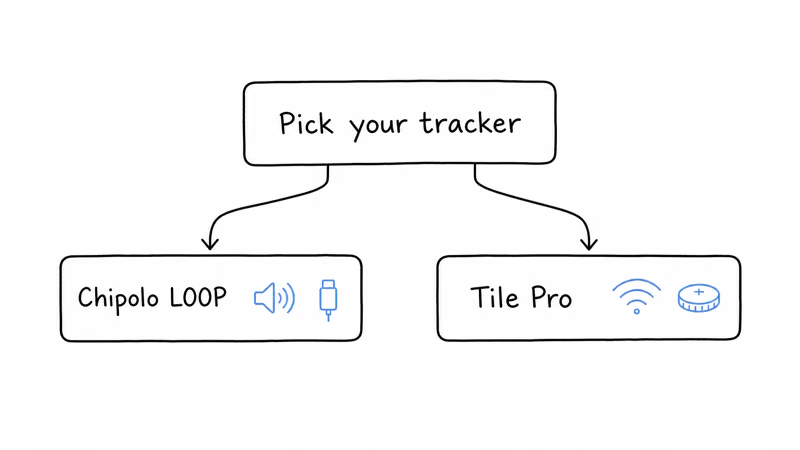
Buy the Chipolo LOOP if you want the modern, low-maintenance tracker. USB-C charging means no coin cells to stock, and access to Apple Find My or Google Find Hub gives it the largest crowd networks for recovering items that leave the house. The 125 dB alarm and built-in loop are bonuses, and an all-iPhone or all-Android home never feels the one-network limitation.
It costs $4 more than the Tile Pro, but for most buyers the network reach and recharging earn that premium. If you want to weigh it against other rechargeable options, see our pick for the best rechargeable Bluetooth tracker.
Buy the Tile Pro if you need range, platform independence, or a swappable battery. Its up to 500 ft reach is the better tool for finding items already inside a big home or office. The single Tile app also works identically across iOS and Android with no account required, which suits a truly mixed household sharing one tag.
You’ll lose some finding speed away from people and pay for Premium to unlock Smart Alerts. But if you value a battery you can replace yourself and a tracker that ignores ecosystem lock-in, the Tile Pro fits. Deciding between Tile and Chipolo’s other tags? Our Tile vs Chipolo comparison covers the wider lineup.
Bottom Line
For most people the Chipolo LOOP is the smarter buy: USB-C charging, a 125 dB alarm, and access to the enormous Apple Find My or Google Find Hub networks make it the more capable everyday tracker. The Tile Pro remains the right call when you need its long Bluetooth range, want a coin cell you can swap yourself, or run a mixed iPhone-and-Android home that wants one shared app.
Spend the extra $4 on the LOOP for network reach and recharging, or save it and pick the Tile Pro for range and independence. Either way, your phone and your finding habits should make the final call. If neither fits, browse the best Find My trackers for more options.
Frequently Asked Questions
Does the Chipolo LOOP work with both Apple Find My and Google Find Hub?
Yes, but only one at a time. During setup you choose Apple Find My or Google Find Hub, and the LOOP joins that single network. To switch to the other network you have to perform a factory reset and pair the tag again, which takes about two minutes. You can’t run both networks simultaneously on the same tag, so a mixed household typically dedicates each LOOP to one platform.
Is the Tile Pro compatible with Apple Find My?
No. The Tile Pro runs on Tile’s own network, now powered by Life360, and does not connect to Apple Find My or Google Find Hub. The Tile app works on both iOS and Android, so iPhone owners can use a Tile Pro, but location updates come from Tile’s smaller crowd network rather than Apple’s or Google’s. If you specifically want Find My or Find Hub support, the Chipolo LOOP is the better choice.
Which tracker has the longer Bluetooth range?
The Tile Pro reaches up to 500 ft of Bluetooth range, longer than the Chipolo LOOP’s 120m, which is roughly 394 ft. Both figures are open-air maximums, and walls reduce Bluetooth performance for any tracker. Longer range mainly helps when an item is already nearby and you want to ring it directly without relying on the crowd-find network.
How does charging the Chipolo LOOP compare to the Tile Pro’s battery?
The Chipolo LOOP recharges over USB-C and lasts about a year per charge, so you plug it in once a year instead of buying batteries. The Tile Pro uses a replaceable CR2032 coin cell that lasts about a year, after which you swap in a fresh one. If you prefer never buying batteries, the LOOP wins; if you prefer a quick self-service swap with no charging, the Tile Pro suits you better.
Are either of these trackers waterproof?
The Chipolo LOOP carries an IP67 rating and the Tile Pro is rated IP68, so the LOOP survives submersion in up to 1 meter of water for 30 minutes while the Tile Pro is rated for submersion beyond 1 meter. Both handle rain, splashes, and brief drops in a puddle without trouble. Neither is built for prolonged or deep-water immersion, so a quick rescue from the bottom of a sink is fine but extended submersion is not recommended for either.
Does the Tile Pro require a subscription?
No, the Tile Pro works without a subscription for core finding, ringing, and basic location. However, several extras sit behind Tile Premium, which costs $3 per month or $30 per year, including Smart Alerts that warn you when you leave an item behind and 30-day location history. The Chipolo LOOP charges no subscription at all, so every feature it offers is included in the one-time purchase price.
Which tracker is louder for finding items by sound?
The Chipolo LOOP is louder, ringing at 125 dB, which Chipolo lists as one of the loudest alarms on the market. The Tile Pro is the loudest tracker in Tile’s own 2024 lineup but still falls short of the LOOP’s output. If your main problem is locating keys somewhere in the house by ear, the LOOP’s louder alarm gives it a clear edge over the Tile Pro.