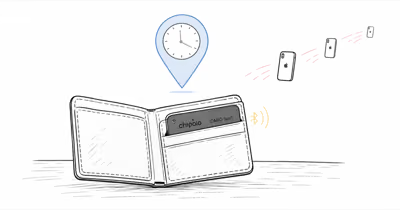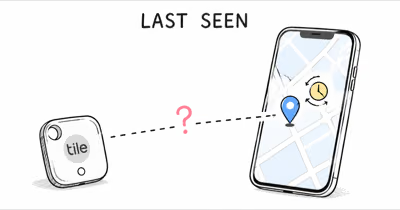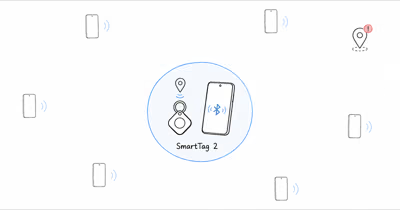
A eufy SmartTrack Link location goes stale when no Apple device passes within Bluetooth range to relay its signal. Long gaps usually mean the tag is in a quiet relay area, blocked by metal, or running on a weak CR2032 battery.
Seeing “Last seen 6 hours ago” on a eufy SmartTrack Link is rarely a fault. Apple’s Find My support page confirms that over 1 billion devices power the network, and the Link updates only when one of them passes by. This guide explains what delay is normal and how to force a refresh.
- The Link has no GPS — it reports a location only when a nearby Apple device relays its Bluetooth 5.2 signal through Find My
- Normal staleness varies by environment — dense public places refresh more often than quiet suburbs, rural roads, locked storage, or parked cars
- Six common causes of a stuck location: network dead zone, weak Bluetooth range, no nearby iPhones, Find My settings off, iOS background refresh off, or a low CR2032 battery
- It lags behind AirTag because it has no Ultra Wideband chip, so there is no directional Precision Finding arrow on the final approach
- Long multi-day gaps are a good reason to check the CR2032 coin cell before assuming the tracker itself failed
How the eufy SmartTrack Link Reports Its Location
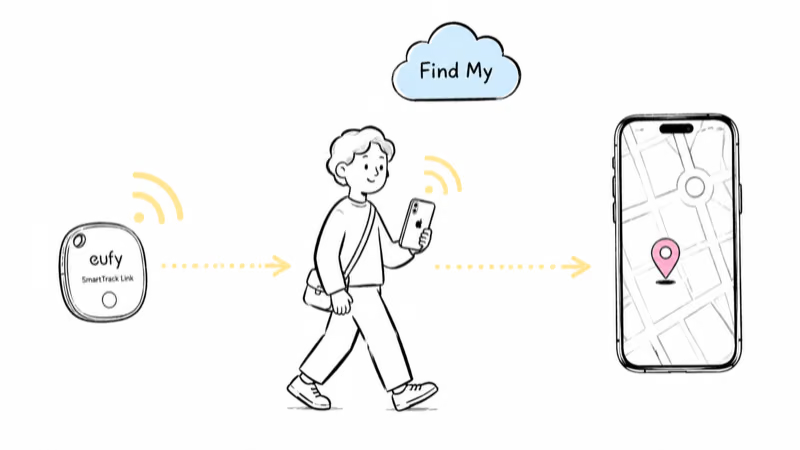
The eufy SmartTrack Link is a Bluetooth Low Energy beacon, not a GPS tracker.
It broadcasts a short anonymous identifier every few seconds over Bluetooth 5.2. Any iPhone, iPad, or Mac that passes within range catches that signal, encrypts a location estimate, and relays it through Apple’s Find My service. The Link has no GPS radio inside, so it never contacts Apple on its own and depends entirely on someone else’s Apple device being nearby.
Apple’s Find My security overview states that a nearby Apple device acts as the finder that relays a tag’s location, so it only updates when an Apple device passes it. The network is dense where iPhone users are dense, so the same Link that refreshes every few minutes downtown can sit quiet for a day in a low-traffic neighborhood.
That coverage gap is the single most common reason a location stops moving. The tag is fine; the network around it has simply gone quiet.
The same pattern holds across every Find My beacon, not just eufy hardware. Our eufy SmartTrack hands-on review walks through where the $20 tag stays current and where coverage thins out.
Why Is My eufy SmartTrack Link Location Not Updating?
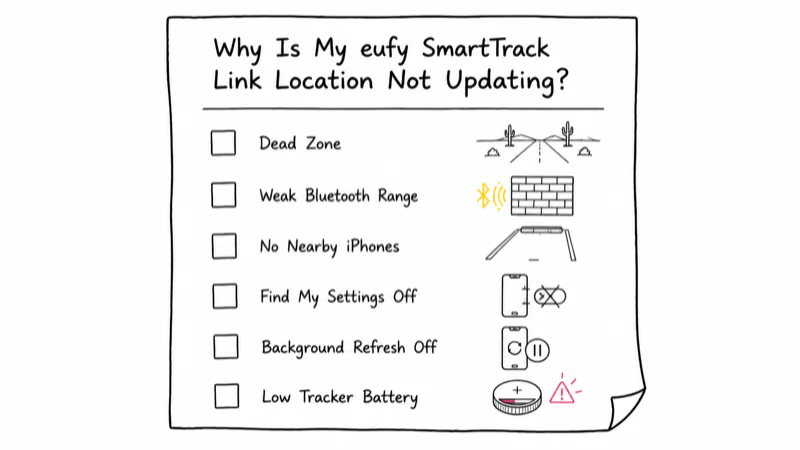
When the location truly is not refreshing, six causes account for nearly every case. Diagnose them in this order.
- Network dead zone. The Link is somewhere no Apple device passes. Rural roads, locked storage units, parking garages, and basements all qualify. Fix: wait for foot traffic, or walk the area yourself with an iPhone.
- Weak Bluetooth range. eufy’s product specs describe the Link as a Bluetooth tracker, so walls, metal, and a closed car cabin can sharply cut the signal. A tag in a glove box relays far less often than one on a keychain.
- No nearby iPhones. This is the most common cause of sudden staleness. A Link that updates fine in a moving car goes silent the moment the car parks in an empty lot overnight.
- Find My settings off. Your own iPhone needs Location Services and the Find My toggle active to process relays. If either is off, your phone shows a stale view even when the tag works.
- iOS background refresh off. Background App Refresh must be on for Find My. With it disabled, your phone can’t handle relays while the app is closed.
- A low CR2032 battery. The Link runs on a user-replaceable CR2032 coin cell rated for about a year. As voltage drops, broadcast range shortens and relays slow well before the tag goes fully dark.
eufy’s own SmartTrack location troubleshooting page states that once the Link disconnects from any device, its location stops updating until something passes within Bluetooth range again. It points you to check phone Bluetooth and location permissions first, which lines up with the settings causes above.
The Normal Range of eufy SmartTrack Link Staleness
First, check whether your outdated location is actually outside the normal range. There is no fixed update schedule. The Link reports a location whenever an Apple device happens to pass it.
| Environment | Expected behavior | When to worry |
|---|---|---|
| Dense urban (downtown, transit hubs) | More frequent relays | Stale despite heavy nearby foot traffic |
| Suburban (residential, daytime) | Intermittent relays | No refresh after you walk nearby with your iPhone |
| Suburban (overnight, few people out) | Longer quiet periods | Still stale after daytime traffic returns |
| Rural (small towns, farm roads) | Long gaps are expected | No refresh even after you bring an iPhone close |
| Inside a safe, vault, or locked drawer | Often never updates | Treat as expected |
The biggest source of confusion is suburban overnight staleness. Residential streets go quiet when the active Apple devices are indoors. A Link left in a bag in a parked car can show the same location through that quiet window, then update once people and phones start passing again. That’s working as designed, not a fault.
The same logic explains why the Link can trail an AirTag in the same pocket. Both ride the same Apple Find My network, so their last-seen timestamps usually land within minutes of each other once any iPhone passes.
Why Does the eufy Link Lag Behind an AirTag?
Even on identical relay timing, the eufy Link can feel a step slower than an AirTag, and there are two real reasons.
First, the Link has no Ultra Wideband chip. An iPhone 11 or newer uses Ultra Wideband to draw a directional arrow straight to an AirTag, a feature Apple calls Precision Finding. The Link gives you a map dot and a chime only, so the final approach feels less precise even when the last-seen location is identical. Our airtag vs eufy smarttrack link comparison breaks down where that gap shows up.
Second, water resistance differs. The Link is rated IPX4 for splashes, while an AirTag is IP67 for full submersion. That is not a location-update factor on its own, but a wet or moisture-fogged tag can see its Bluetooth broadcast range drop, which slows relays in marginal coverage. For the AirTag side of this same problem, our guide on why an AirTag location goes outdated covers the equivalent troubleshooting for that device.
The fix is to set correct expectations. The Link is not defective when it trails an AirTag by a few minutes. It’s a $20 beacon doing the same relay work without the premium radio.
How to Force a eufy SmartTrack Link Location Update
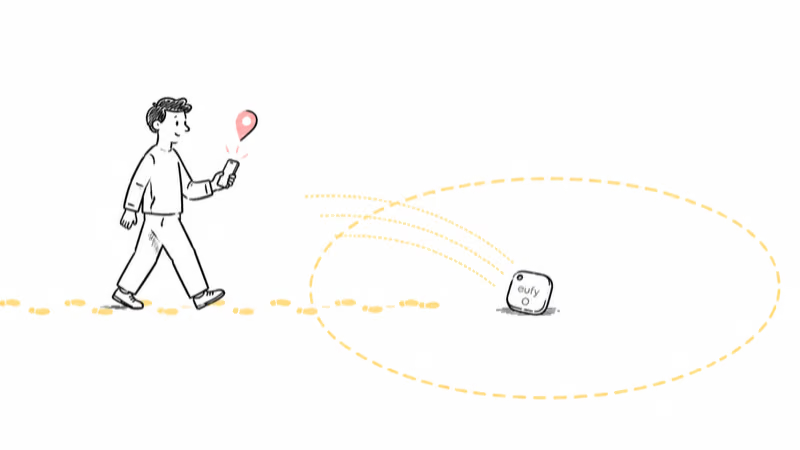
You can’t push the tag to report from a distance, but you can raise the odds of a relay happening soon. Work through these actions in order of effort.
- Walk toward the last-known location with an iPhone. Once you’re close enough for Bluetooth to reach the tag, your own phone can become the relay and Find My can refresh. Walking the perimeter of a small building often gives the signal a chance to escape.
- Move the tag out of metal and enclosed spaces. Pull the Link out of a glove box, a metal lunch tin, or a tightly packed bag pocket. Open air dramatically improves how often the broadcast escapes to a passing device.
- Check Background App Refresh and Location Services. Open Settings, find Find My, and confirm both toggles are on. These govern whether your own iPhone can process relays at all.
- Turn on Lost Mode. Enabling Lost Mode in Find My does not change how often the tag transmits, but it flags the tag so any passing Apple device prioritizes relaying it. The Link also carries a QR code that a finder can scan to reach you.
- Re-pair the Link as a last resort. If nothing else works, remove the Link from Find My and add it again. This clears a stale pairing that occasionally blocks relays.
Most stuck locations clear at step one or step two. If they don’t, the cause is usually environmental or a dying battery rather than a software fault.
When the CR2032 Battery Is the Real Problem
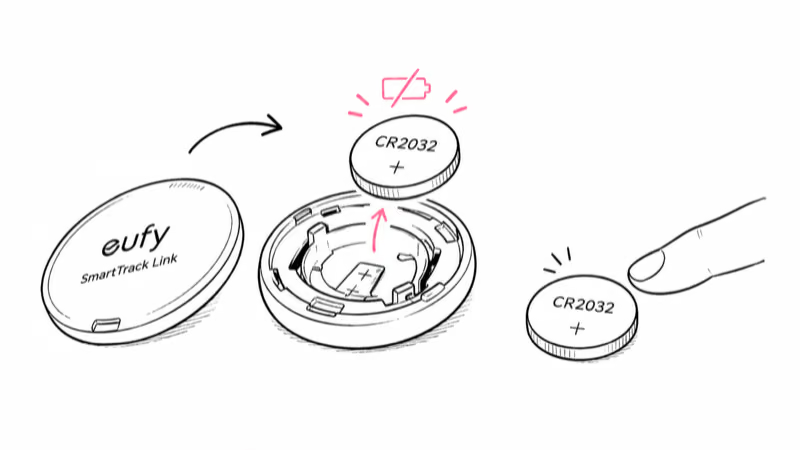
Once you have ruled out settings and placement, the duration of the staleness is the clearest signal of what is wrong. Treat it as a triage ladder.
- Under 1 hour: completely normal, even in dense cities. Do nothing.
- Short gaps: still normal in suburbs, especially overnight. Walk the area with your phone if you want a fresh ping.
- Multi-day gaps: can be normal in rural or low-density areas, or for a tag stored inside a building.
- Long gaps on a tag that used to update: investigate the battery. The CR2032 coin cell is rated for about a year, and a weak cell shortens range and slows relays before it dies.
Unlike sealed-battery wallet cards, the Link’s coin cell is user-replaceable. Twist the back open, drop in a fresh CR2032, and the tag broadcasts at full strength again. A dead battery is the most common cause of multi-day staleness on a tag that previously worked, and it’s the cheapest to fix. If you are shopping for a more reliable everyday tag while you are at it, our best bluetooth tracker roundup covers the current options for iPhone users.
Bottom Line
A stale eufy SmartTrack Link location is usually the expected behavior of a passive Bluetooth relay, not a hardware failure. Check the environment, the tag’s placement, and whether the tag updates when you bring an iPhone close before you assume the Link is broken. If long gaps persist on a tag that used to update, swap the CR2032 coin cell before anything else.
FAQ
Why is my eufy SmartTrack Link location not updating?
The Link only reports a new location when an iPhone, iPad, or Mac passes within Bluetooth range and relays its signal through Apple's Find My network. If no Apple device has been near the tag, the last-seen timestamp stops moving. It's not GPS, so it can't report its own position on a schedule. A stale location usually means a coverage gap, not a broken tag.
Does the eufy SmartTrack Link have GPS?
No. The Link is a Bluetooth Low Energy beacon with no GPS, cellular, or Wi-Fi radio. It broadcasts an anonymous identifier over Bluetooth 5.2 that nearby Apple devices pick up and relay. The location you see in Find My is the spot where the last passing Apple device detected the tag, not a live position.
How often should the eufy Link location refresh in Find My?
There is no fixed schedule. Dense public places tend to refresh more often because more Apple devices pass the tag. Quiet suburbs, rural areas, parked cars, safes, and vaults can leave the location stale until another Apple device comes within Bluetooth range.
Why does my eufy Link location lag behind my AirTag?
Both use the same Apple Find My network, so relay timing should be similar. The Link feels slower mainly because it has no Ultra Wideband chip, so there is no directional Precision Finding arrow once you are close. It's also IPX4 splash-rated rather than fully submersible, so a tag that has taken on moisture can broadcast a weaker signal and relay less often.
How do I force the eufy SmartTrack Link to update its location?
You can't trigger a report on demand, but you can make one likely. Walk toward the last-known location with an iPhone in hand; once Bluetooth can reach the tag, your own phone can become the relay. Turning on Lost Mode flags the tag so any passing Apple device prioritizes it, and pulling the tag out of metal or an enclosed space removes a common signal block.
Can a low battery cause the eufy Link location to stop updating?
Yes. The Link runs on a replaceable CR2032 coin cell rated for about a year. As it weakens, broadcast range shortens first and relays slow before the tag goes fully dark. If long gaps persist on a tag that worked before, swap in a fresh CR2032 by twisting the back open. It's the cheapest multi-day staleness fix.
Do I need an Android phone setup for the eufy Link to work?
No. The eufy SmartTrack Link is an Apple Find My-only tracker, so it relays through iPhones, iPads, and Macs rather than Android phones. An Android user can be tracked nearby only if Apple devices pass the tag. If you carry Android, our guide on whether AirTags work with Android explains why Find My beacons like this one are an Apple-centric ecosystem.
When should I replace my eufy SmartTrack Link instead of troubleshooting it?
Use the context of the staleness as your guide. Quiet relay areas and metal enclosures can make a working tag look stuck. A long gap on a tag that previously updated is a good reason to replace the CR2032, which you can do yourself. Replace the whole tag only if a fresh battery, a re-pair, and correct Find My settings still leave it silent.