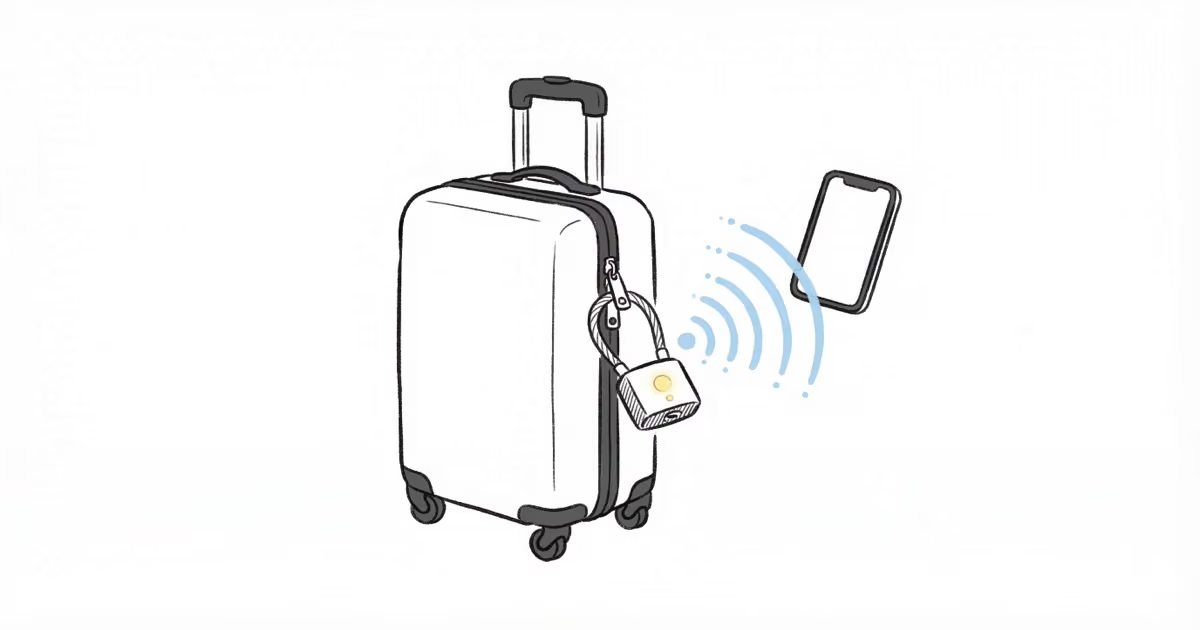
The AirBolt smart travel lock takes a different approach to luggage security. Instead of a key or dial combination, you unlock it from your phone over Bluetooth. After testing it across multiple trips, the concept works well, though a few rough edges remain.
- AES 128-bit encryption protects the Bluetooth connection between your phone and the lock
- 12-month battery life from a single 2-hour micro-USB charge, confirmed after 6 months of use with battery still at 100%
- TSA approved with a unique feature: you can disable the TSA port while airborne so only you control access
- Die-cast zinc alloy body measuring 48 x 42 x 16 mm and weighing just 24 grams (0.85 oz)
- Crowd GPS tracking relies on other AirBolt app users nearby, so coverage varies by location
What Is the AirBolt Smart Travel Lock?
The AirBolt is a Bluetooth padlock designed for travel luggage, backpacks, lockers, and gym bags. You pair it with the AirBolt app on iOS or Android, then lock and unlock with a single tap. No keys. No combinations to forget.
It also includes proximity alerts, crowd-sourced location tracking, shared access controls, and a manual backup code on the lock body itself. For travelers who want more than a basic padlock, this is one of the few options that combines security hardware with smartphone software.
If you are comparing smart locks to dedicated tracking devices, our guide on AirTag vs GPS trackers covers the key differences.

Design and Build Quality
The lock body is die-cast zinc alloy, not plastic. It measures 48 x 42 x 16 mm and weighs 24 grams. In hand, it feels dense and well-machined with smooth edges and a matte finish.
The flexible cable is stainless steel wrapped in a plastic coating, roughly 5 mm thick and 100 mm long when fully extended. It threads through standard luggage zippers without issues. The cable resists casual cutting but would not survive bolt cutters. For luggage deterrence, that is typical of TSA-compliant locks.
One design standout: the lock has touch-sensitive buttons on the face for entering a manual backup code. They respond consistently and do not require much pressure.
App Setup and Pairing
Setup takes under 3 minutes:
- Download the AirBolt app for iOS (requires iOS 9+) or Android (requires 5.0+ with Bluetooth 4.0)
- Create an account and register the lock
- Hold the lock near your phone and follow the Bluetooth pairing prompt
Once paired, the app displays lock status, battery level, and access history. You can also add trusted users, set access schedules, and configure proximity alerts from the same screen.
The pairing process worked on the first try in our testing. Reconnecting after the phone was out of range for extended periods also went smoothly. The app interface itself is functional but dated. Navigation feels sluggish on older phones, and some users report occasional crashes on Android.
Unlocking and Locking in Daily Use
With your phone within Bluetooth range (roughly 10 meters / 30 feet), open the app and tap Unlock. The lock disengages in 1-2 seconds. The LED flashes blue to confirm.
Locking is even faster. Press the physical button or re-insert the cable and it clicks shut. You can also enable one-touch quick unlock so the lock opens automatically when your phone is nearby.
In practice, the Bluetooth connection held reliably within the stated range. We did notice occasional 3-4 second delays when the phone had been disconnected for a while, as the app needed to re-establish the connection. Once reconnected, subsequent unlocks were consistently fast.
Security: Encryption and Manual Backup
The AirBolt uses AES 128-bit encryption for all communication between the lock and your phone. This is the same encryption standard used in banking apps and is considered virtually uncrackable for a consumer device.
If your phone dies or Bluetooth fails, the lock has a manual backup. You set a pattern code using the touch-sensitive buttons on the lock face. Think of it like a smartphone unlock pattern. It is less secure than the encrypted app connection, but it means you are never locked out of your own luggage.
You can also share access with travel companions through the app. Set permanent access or time-limited windows. Revoke access anytime, from anywhere.
TSA Approval and the Disableable Port
The AirBolt is TSA approved, meaning security screeners can open and relock it with their master tools during inspections. Your lock stays intact.
What sets the AirBolt apart from other TSA locks is its disableable TSA port. Through the app, you can turn off the TSA access point while your bag is in the air or when you simply do not need it. This is the only travel lock that offers this level of control. When you land and need TSA compatibility again, re-enable it with one tap.
For more on what TSA allows in checked bags, see our guide on using AirTags in checked luggage.
Battery Life: 12 Months Per Charge
A full charge takes about 2 hours via the micro-USB port. AirBolt rates the battery at up to 12 months with average use.
In our testing, the lock showed 100% battery after 6 months of intermittent use across several trips. The lock spends most of its time in a low-power sleep state and only activates during Bluetooth interactions, which keeps drain minimal.
The micro-USB port is a downside. Most devices have moved to USB-C, and carrying a separate cable for one lock is mildly annoying. For a product at this price point, USB-C would be a welcome upgrade.
Proximity Alerts and Crowd GPS
The AirBolt can send a push notification to your phone when you walk too far from your locked bag. You set the distance threshold in the app. In our testing, alerts triggered consistently at roughly 10 meters.
This is useful at airports. If you leave your bag at the gate and walk to a shop, you get a buzz before you are too far away.
The crowd GPS feature uses the network of other AirBolt app users to report your lock’s last known location if it goes missing. When another AirBolt user passes within Bluetooth range, their phone anonymously relays the location back to you.
The catch: this only works where other AirBolt users are nearby. In busy airports or city centers, coverage is reasonable. In smaller towns or rural areas, do not count on it. For reliable location tracking on luggage, a dedicated Bluetooth tracker like an Apple AirTag with Find My network coverage is a stronger option. You can also see our best luggage trackers roundup for more choices.
Pros and Cons
Pros
- AES 128-bit encrypted Bluetooth unlock is fast and secure
- 12-month battery life means charging roughly once a year
- Disableable TSA port gives you control over who accesses the lock
- Die-cast zinc alloy body feels durable at just 24 grams
- Manual backup code prevents lockouts if your phone dies
- Shared access with schedules works well for families
Cons
- Stainless steel cable is thin and vulnerable to bolt cutters
- Micro-USB charging port feels outdated in 2026
- App stability issues reported on some Android devices
- Crowd GPS tracking coverage depends entirely on local user density
- Price (~$80) is steep compared to conventional TSA locks
- No standalone GPS or Find My network integration
AirBolt Smart Lock Specifications
| Spec | Detail |
|---|---|
| Dimensions | 48 x 42 x 16 mm |
| Weight | 24 g (0.85 oz) |
| Body material | Die-cast zinc alloy |
| Cable material | Stainless steel with plastic coating |
| Encryption | AES 128-bit |
| Connectivity | Bluetooth 4.0 |
| Battery life | Up to 12 months per charge |
| Charging | Micro-USB, ~2 hours |
| Compatibility | iOS 9+ / Android 5.0+ |
| TSA approved | Yes, with disableable TSA port |
| Water resistance | Weather resistant (no IP rating published) |
| Backup unlock | Touch-pattern code on lock body |
Who Should Buy the AirBolt?
The AirBolt makes sense for frequent travelers who want keyless convenience and the ability to share luggage access with companions. The disableable TSA port is a genuine differentiator.
It is less ideal if you need reliable location tracking. The crowd GPS feature is too dependent on user density to be trustworthy for lost luggage recovery. Pair it with a dedicated tracker like an Apple AirTag or Samsung SmartTag for that purpose.
If the $80 price tag concerns you, consider that a conventional TSA lock costs $10-15 but offers no smart features, no proximity alerts, and no remote access sharing. The AirBolt occupies a niche between basic locks and full GPS trackers. For dedicated GPS options without subscription fees, see our guide to GPS trackers with no monthly fee.
Bottom Line
The AirBolt Smart Travel Lock delivers on its core promise: fast, encrypted, keyless luggage security with a year-long battery. The disableable TSA port is a feature no other lock offers, and the zinc alloy build holds up to travel wear.
The weak points are the thin cable, micro-USB charging, and inconsistent crowd GPS coverage. Pair it with a proper Bluetooth tracker for location peace of mind. At $80, it is a premium purchase, but for travelers who value smartphone-controlled access and shared entry scheduling, the convenience justifies the price.
How long does the AirBolt battery last on a single charge?
AirBolt rates battery life at up to 12 months with average use. A full charge takes about 2 hours via micro-USB. In our testing, the battery showed 100% after 6 months of intermittent use across several trips. The lock spends most of its time in sleep mode, which keeps power drain minimal.
Is the AirBolt lock TSA approved?
Yes. TSA screeners can open and relock the AirBolt using their master tools without damaging it. The AirBolt also has a unique disableable TSA port. You can turn off TSA access through the app while your bag is in the air, then re-enable it when needed.
What happens if my phone dies while the AirBolt is locked?
You can unlock the AirBolt using a manual pattern code entered on the touch-sensitive buttons on the lock face. Set this backup code during initial setup. It works even if the lock battery is fully depleted, so you are never permanently locked out.
Can I share AirBolt access with travel companions?
Yes. The AirBolt app lets you add trusted users and set time-limited or permanent access schedules. You can revoke access anytime from your phone, regardless of your location. Each shared user needs the AirBolt app installed on their device.
How accurate is AirBolt crowd GPS tracking?
Crowd GPS accuracy depends entirely on how many other AirBolt app users are nearby. In busy airports and city centers, it can report a last-known location when another user passes within Bluetooth range. In smaller towns or rural areas, coverage is unreliable. For consistent location tracking, pair the AirBolt with a dedicated Bluetooth tracker like an Apple AirTag.
Is the AirBolt cable cut-resistant?
The cable is stainless steel wrapped in a plastic coating. It resists casual cutting with scissors or knives, but bolt cutters could get through it. This is typical of TSA-compliant travel locks, which prioritize deterrence over maximum security. The zinc alloy lock body itself is far more difficult to break.
Does the AirBolt work with both iPhone and Android?
Yes. The AirBolt app supports iOS 9 and above and Android 5.0 and above with Bluetooth 4.0. Some users report occasional app stability issues on older Android devices. The lock itself is platform-independent once paired.