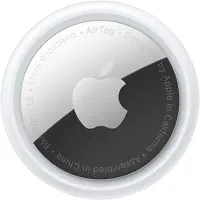
The AirTag 2 is the best Bluetooth tracker for iPhone users. Its longer Precision Finding range is the upgrade that matters most, and it keeps the same $29 price with zero subscription fees. New buyers should grab it without hesitation. Existing Gen 1 owners should upgrade only if they have an Apple Watch Series 9 or newer.
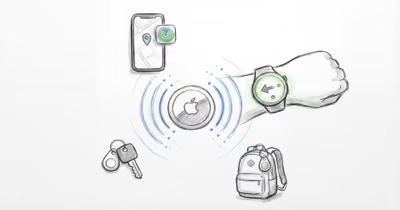
AirTags are commonly used for everyday items like keys, wallets, backpacks, and checked luggage. Apple released the second-generation model in January 2026, and the main differences from Gen 1 come down to range, Apple Watch support, speaker output, and price.
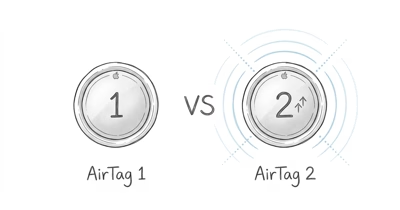
For a detailed look at what changed between generations, see our AirTag 2 vs AirTag 1 comparison. This review covers what's actually better, what Apple overpromises on, and whether your Gen 1 AirTags deserve retirement.
- Apple says the U2 chip extends Precision Finding range by up to 50%, with the largest gains in open outdoor conditions on iPhone 15 or newer.
- Apple Watch Precision Finding (Series 9 / Ultra 2+) works without your phone and uses haptic guidance to point you to a tag through typical indoor obstacles.
- The speaker is 50% louder and a higher pitch (G note vs F note), which makes a lost tag easier to hear through doors and ambient noise.
- Same $29 price with no subscription fee — the most cost-effective Bluetooth tracker for anyone in Apple's ecosystem.
- Gen 1 owners should only upgrade if they've an Apple Watch Series 9 or newer; the Watch tracking feature is the one capability no software update can bring to first-generation hardware.
Did Precision Finding Range Really Double?
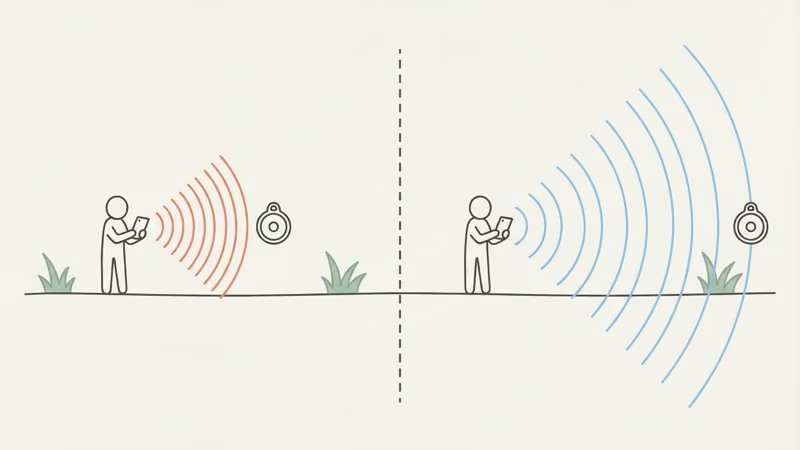
This is the upgrade that justifies the AirTag 2's existence. Apple's official claim is 50% more Precision Finding range, and that longer arrow lock-on is what makes it useful for everyday searching.
9to5Mac's AirTag 2 report states that the U2 chip extends Precision Finding range by 50%. On iPhone 15 Pro and newer, which carry the matching U2 hardware, the Gen 2's directional arrow locks on from a noticeably longer range than Gen 1 in open outdoor conditions.
Walls change the math. UWB range drops through drywall and concrete, and how much depends on the wall material and the device generation. A thick barrier like a concrete parking-garage wall cuts range the most, where an older U1 tag may not connect from the far side at all.
Here's why this matters more than it sounds. With the original AirTag, Precision Finding only kicked in when you were already close enough to hear the speaker beeping, which made the directional arrow almost pointless.
With Gen 2, the arrow appears early enough to guide you before the sound even matters. In a noisy airport terminal or a packed gym locker room, that gap can be the difference between directed guidance and wandering around listening for a muffled chime.
Engadget's testing found Precision Finding activating from around 80 feet in open conditions. For a deeper look at tracking accuracy mechanics, see our breakdown on how accurate AirTags really are.
Apple Watch Precision Finding Without Your Phone
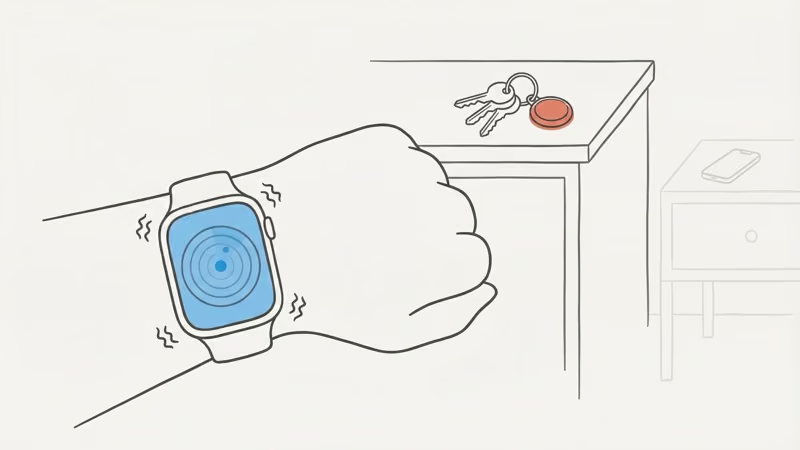
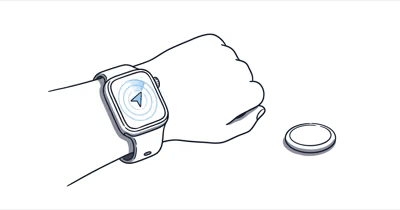
This is the upgrade Apple Watch owners will notice most. For the first time, you can trigger Precision Finding directly from your Apple Watch, no phone required. It works on Apple Watch Series 9, Ultra 2, and anything newer running watchOS 12, and our guide to finding an AirTag from your Apple Watch covers the exact setup steps.
A common scenario: keys on the kitchen counter, phone charging in the bedroom, already late for work. Before Gen 2, you would walk to the bedroom, grab your phone, open Find My, then walk back to the kitchen.
Instead you raise your wrist, tap the shortcut, and the watch guides you with haptic taps and a radar-style circle. It also works for tracking an AirPods case that has no built-in Find My of its own.
One complaint: the watch uses a circular radar display instead of the arrow you see on iPhone. It works, but it's clunkier -- you're chasing a pulsing dot rather than following a clear pointer.
MacRumors confirmed the watch interface connects reliably through walls and furniture. Setup isn't automatic though -- you need to manually add the Precision Finding shortcut to your watch's Control Center, and Apple doesn't tell you this during pairing.
The Speaker Got Louder. It Actually Helps.
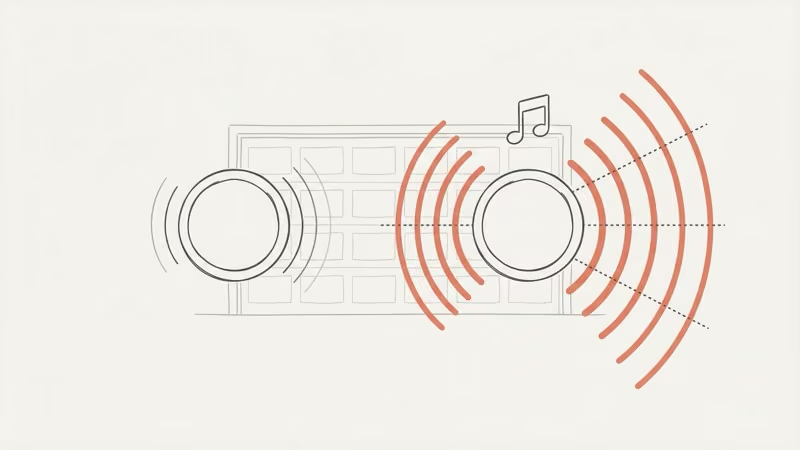
50% louder and a higher pitch. The louder chime is designed to be heard through a closed door or over background noise like a running dishwasher, where the quieter Gen 1 speaker can be harder to pick out.
The pitch shift matters. Apple moved the chime from F to G, and the higher frequency cuts through ambient noise better. 9to5Mac's reviewer heard it from across a gym locker room, inside a closed locker, with background music playing. Apple also redesigned the speaker housing to resist physical tampering, which is an anti-stalking improvement. The speaker is output-only, too -- an AirTag has no microphone and can't record audio.
Worth upgrading for the speaker alone? No. But paired with the range and watch support, it rounds out a meaningful generational jump.
AirTag Gen 1 vs Gen 2: Full Specs
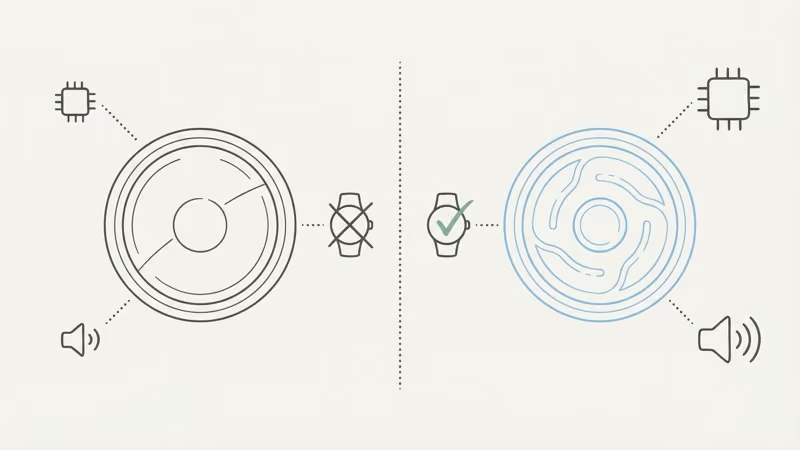
Identical on the outside. Every upgrade lives inside. The only visible tell is the back engraving: Gen 2 uses uppercase letters and adds "IP67" below the serial number. From the front, they're indistinguishable, and both generations share the same IP67 water resistance rating, which covers rain and brief submersion but not swimming.
| Spec | AirTag Gen 1 (2021) | AirTag Gen 2 (2026) |
|---|---|---|
| UWB chip | U1 (1st gen) | U2 (2nd gen) |
| Precision Finding range | Baseline (U1 chip) | Up to 50% farther |
| Apple Watch support | No | Yes (Series 9 / Ultra 2+) |
| Speaker volume | Standard (F note) | 50% louder (G note) |
| Diameter / Weight | 31.9mm / 11g | 31.9mm / 11.8g |
| Water resistance | IP67 | IP67 (same) |
| Battery | CR2032, ~1 year | CR2032, ~1 year (same) |
| Price | $29 / $99 (4-pack) | $29 / $99 (same) |
Curious whether AirTag counts as a GPS device? It doesn't. We explain the difference in our does AirTag have GPS explainer.
Setup Runs Through Find My
Bring it near your iPhone. Tap Connect. Done. No separate app download, no account creation, no Bluetooth pairing menu -- Apple's nearby-device pairing flow handles the process inside Find My.
Find My gives you everything in one screen: map view with last known location, Play Sound (works remotely through Apple's billion-device network), Precision Finding when in range, Lost Mode that locks the tag to your Apple ID, and Share Item Location for airlines or trusted contacts. Family Sharing lets up to five people track the same AirTag.
You can pair several AirTags one after another. One snag worth flagging: you have to remove each old Gen 1 from your Apple ID through Find My before the new ones will pair.
Apple doesn't mention this during setup, so it catches many people replacing older AirTags. Our complete setup guide walks through the full pairing process including this gotcha. For step-by-step battery swap instructions, check our AirTag battery replacement guide.
Same Disc, Same Flaw: No Keyring Hole
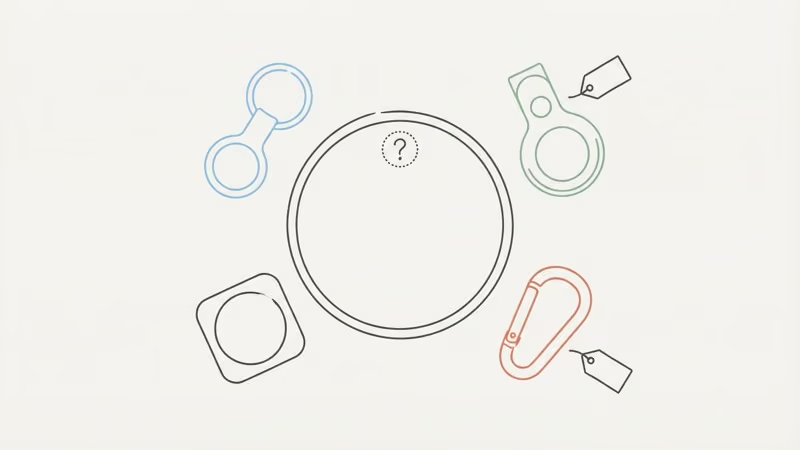
Five years and Apple still won't add an attachment point. You need a $12-35 accessory to clip this thing to your keys. The AirTag is a 31.9mm polished white disc with a chrome stainless steel back. The white surface tends to pick up scuffs over time from bouncing around with keys and coins in a pocket.
If keys are your main use case, our key finder comparison puts AirTag against Chipolo, Tile, SmartTag, and Pebblebee on attachment, alarm volume, and phone ecosystem.
Wirecutter's best Bluetooth tracker roundup recommends AirTag 2 as the top pick for iPhone users, citing its unmatched Find My network of over a billion devices. At 11.8g, Gen 2 is slightly heavier than Gen 1's 11g, a difference too small to notice in everyday carry.
The battery cover twists off for easy CR2032 replacement, which is a real advantage over sealed competitors like the Tile Mate that you throw away after three years. Our guide on how long AirTag battery lasts covers what to expect.
Check the best AirTag holders and accessories for third-party clip and case options starting around $8.
Privacy and Anti-Stalking: Better Than Any Competitor
AirTag has the strongest anti-stalking protections in the tracker market. Apple keeps adding layers with each iOS update, and Gen 2's tamper-resistant speaker housing makes it harder for someone to disable the alert sound.
Here's what's built in:
- Unknown AirTag alerts on iPhone, triggered automatically when an unfamiliar tag travels with you (see our unknown accessory alert walkthrough for what each alert type means)
- Cross-platform detection since iOS 17 and Android: no app install required for alerts
- Mandatory separation sound when an AirTag stays away from its owner too long
- End-to-end encryption on all location data
- NFC tap identification so anyone who finds a lost AirTag can see owner contact info without needing an Apple device
No tracker is stalking-proof. But Apple's cross-platform detection standard confirms that both iOS and Android devices now receive automatic alerts when an unknown AirTag travels with them, making the system more layered than what Tile or Samsung offer. On Android, the unwanted-tracker alert appears after an unknown AirTag has been traveling with you for a while, with exact timing varying by device, OS, and how much you move. Apple's AirTag safety page details every safeguard.
How Does AirTag 2 Stack Up Against Other Trackers?
If you own an iPhone, skip everything else. No competing tracker offers UWB Precision Finding, the directional arrow that walks you straight to your lost item. The Find My network of over a billion Apple devices dwarfs every other platform's crowd-sourced coverage.
| Tracker | Best For | vs AirTag 2 |
|---|---|---|
| Tile Mate | Android / cross-platform | No UWB, smaller network, $2.99/mo for premium features |
| Samsung SmartTag 2 | Galaxy phone users | UWB on Galaxy only, much smaller Find network |
| Chipolo ONE Point | Budget Android option | Google Find My Device (Android only), no UWB Precision Finding |
| Pebblebee Clip 5 | Dual-network (Find My + Google) | Cross-platform flexibility, but no directional tracking |
For a detailed head-to-head, see AirTag vs Tile. If you want to see how AirTag 2 compares against its two closest rivals side by side, our AirTag 2 vs Chipolo Pop vs Tile Pro comparison covers all three in one guide.
If you're on Android or want cross-platform options, our best AirTag alternatives roundup covers the field, and our dedicated Bluetooth tracker for Android guide ranks the top picks.
Samsung users specifically should check our AirTag vs SmartTag comparison. The SmartTag 2 is the only competing tracker with UWB, but it only works with Galaxy phones.
Should You Buy the AirTag 2?
- Longer Precision Finding range on iPhone 15 and newer
- Apple Watch Precision Finding works without your phone
- 50% louder speaker with higher-pitched chime
- Same $29 price, no subscription ever
- CR2032 battery is cheap and user-replaceable
- iPhone only, zero Android support
- Still no built-in keyring hole after five years
- No real-time GPS tracking (crowd-sourced only)
- Full range boost requires iPhone 15 or later
- Apple Watch feature needs Series 9 / Ultra 2 or newer
The Bottom Line
AirTags are well suited to everyday items like keys, wallets, backpacks, and luggage. The Precision Finding range improvement is the upgrade you notice most, and Apple Watch tracking is the standout new capability for owners of a compatible Watch.
For a deeper look at getting the most from your tracker, our guide to AirTag 2 tips and tricks covers 15 features Apple doesn't walk you through during setup. If your Find My map starts showing a day-old timestamp, our when the location doesn't refresh explainer separates normal suburban lag from a genuine hardware problem.
First-time buyer? Get the Gen 2. At $29 with zero ongoing costs, it's the most cost-effective tracker for anyone in Apple's ecosystem. The 4-pack at $99 ($24.75 each) saves you about $17 if you want to cover keys, wallet, bag, and luggage.
Already own Gen 1? Only upgrade if you have an Apple Watch Series 9 or newer. That's the one capability Gen 1 simply can't match, and it's the strongest reason for compatible Watch owners to upgrade.
Frequently Asked Questions
Is the AirTag 2 worth buying in 2026?
For new buyers, absolutely. You get better Precision Finding range, Apple Watch support, and a louder speaker at the same $29 price point. For existing Gen 1 owners, the calculus is different. Upgrade only if you have an Apple Watch Series 9 or newer, because that's the standout feature Gen 1 can't replicate through any software update.
What iPhone do I need for AirTag 2's full features?
iPhone 15 or later for the extended Precision Finding range via the U2 chip. iPhone 11-14 still get directional tracking but at shorter, Gen 1-level distances. The iPhone 16e and older SE models skip Precision Finding entirely since they lack UWB hardware.
Does AirTag work with Android?
No. You need an iPhone, iPad, or Mac to set up and track an AirTag. Android users receive automatic alerts if an unknown AirTag is traveling with them, and that detection works without installing any app. But they can't pair one or use it to find their own stuff.
Does AirTag have GPS?
No GPS chip inside. AirTag piggybacks on nearby iPhones using Bluetooth and Ultra Wideband. Those iPhones silently relay the tag's encrypted location to Apple's servers. It can't do real-time continuous tracking like a dedicated GPS device. For most people tracking everyday items in cities, the Find My network covers the gap well enough.
Is there a monthly fee for AirTag?
Zero. No subscription, no premium tier, no hidden costs. Every feature ships free: Find My tracking, Precision Finding, Lost Mode, Family Sharing, Share Item Location. Compare that to Tile, which puts smart alerts and extended warranty behind a $2.99/month paywall.
How long does the AirTag battery last?
About one year on a standard CR2032 coin cell, which is what Apple rates AirTag battery life at depending on use. Twist off the stainless steel back to swap it yourself for under $3. Apple sends a low-battery notification through Find My, but there's no percentage indicator. Frequent Play Sound use and high-traffic conditions can shorten battery life.
Can I track luggage on flights with AirTag?
Yes, and it's one of the strongest use cases. AirTags are widely used in checked luggage to view a bag's last reported location through Find My. You see your bag's location during transit and can often confirm it reaches the carousel before you get to baggage claim. Most major airlines now support Share Item Location, so you can send your AirTag's live position directly to airline staff if a bag goes missing mid-route.