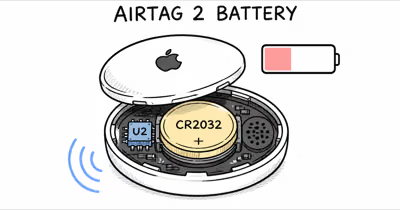
Apple rates AirTag battery life at "more than a year" using a single CR2032 coin cell. Heavy Precision Finding use, cold weather, and cheap batteries can shorten that lifespan. A name-brand replacement CR2032 is inexpensive and easy to swap.
That "more than a year" number from Apple assumes a specific usage profile: four Play Sound events and one Precision Finding session per day. Most people don't use their AirTags that actively, so plenty of folks report batteries lasting well past 12 months.
But if you trigger Play Sound every morning to find your keys, or you live somewhere with brutal winters, your mileage will drop. Below, I'll break down what actually affects AirTag battery life, how AirTag 2 compares to the original, and the cheapest way to keep every CR2032 going as long as possible.
- Apple rates AirTag battery at "more than a year" under its own daily sound and Precision Finding usage profile.
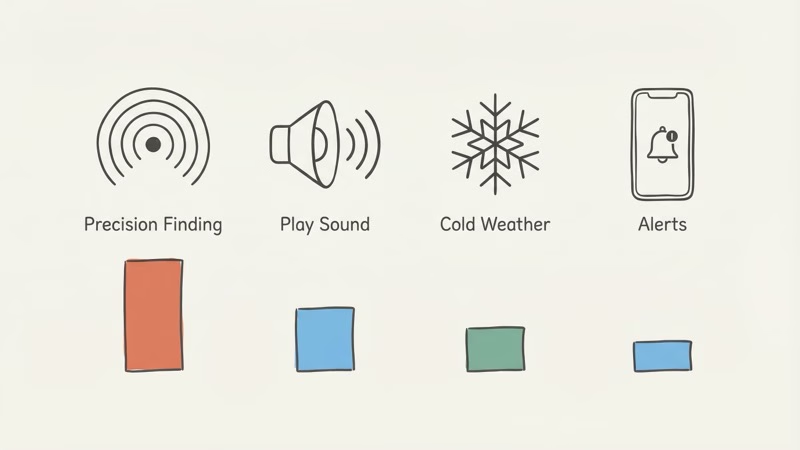
- Precision Finding is the biggest battery drain. Heavy UWB use pulls more current than passive Bluetooth beaconing.
- AirTag 2 and original AirTag have the same battery life. Same CR2032 cell, same approximate one-year rating.
- Panasonic CR2032 is the best replacement battery. It avoids the bitterant-coating contact problem and is widely available.
- Avoid batteries with bitterant coating (some Duracell models) — the coating blocks electrical contact with AirTag terminals.
- Cold weather cuts capacity. Cars and outdoor gear in winter can trigger early low-battery warnings.
How Long Does AirTag Battery Really Last?
Apple's official claim is "more than a year" for both AirTag and AirTag 2. That's based on their standard usage profile: four sound events and one Precision Finding event daily. Fair enough as a benchmark. But your actual results depend entirely on how you use the thing.
An AirPinpoint comparison of AirTag battery longevity shows the spread is wide: some owners replace early, while others get well past Apple's one-year rating on a single cell.
Here's how common scenarios affect drain:
| Use Case | Battery impact | Why |
|---|---|---|
| Keys (daily carry, occasional Play Sound) | Moderate | Regular Bluetooth pings, some UWB use |
| Luggage (stored most of the year) | Lower | Minimal activity when stationary |
| Car (left in vehicle year-round) | Higher in hot or cold weather | Temperature extremes in parked cars |
| Dog collar (daily walks, frequent alerts) | Higher | Movement + separation alerts + Play Sound |
| Wallet (rarely triggered) | Lower | Low activity, room temperature |
The bottom line on lifespan: plan to replace the battery once a year. Set a calendar reminder for 11 months after inserting a fresh CR2032. If it lasts longer, great. But you won't be caught off guard.
What Drains AirTag Battery Faster?
Precision Finding is the single biggest battery drain. Apple's AirTag tech specs page confirms that the CR2032 is rated for more than 1 year of battery life, though that rating doesn't account for heavy Precision Finding usage.
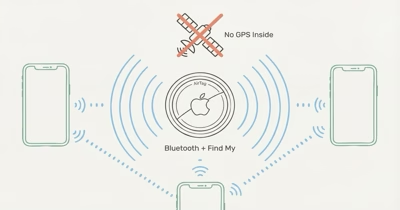
When you open Find My and follow the directional arrow toward your AirTag, the U1 or U2 chip fires up Ultra Wideband radio. UWB ranging is the most power-hungry thing the tag does, drawing far more current than passive Bluetooth beaconing, so a CR2032 in a tag used for daily Precision Finding drops voltage faster than one used only for passive tracking.
Play Sound
Each Play Sound command activates the AirTag's speaker. AirTag 2's speaker is 50% louder than the original, which means it draws more current per play event. If you ring your keys every morning, that adds up; occasional use has negligible impact.
Separation Alerts (Notify When Left Behind)
This feature keeps tabs on the Bluetooth connection between your iPhone and AirTag. When the AirTag drifts out of range at an unfamiliar location, you get an alert, and that constant monitoring uses more power than passive beaconing.
The extra drain is small on any single tag, but it's real. Users on Apple Community forums report separation alerts shave roughly 2-4 weeks off battery life over a full year.
You can add location exceptions (home, office) in Find My so the feature doesn't run checks where you don't need them. That'll claw back a bit of battery.
Cold Weather
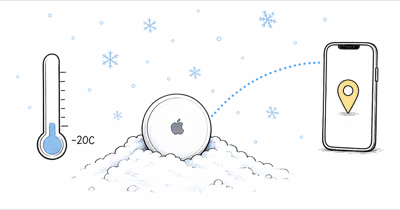
Lithium batteries hate the cold. According to Energizer's CR2032 technical datasheet, lithium coin cells lose up to 40% capacity at temperatures below -10C (14F).
Got an AirTag on a dog collar in Wisconsin, or inside a car sitting in a Minnesota lot all winter? Expect more low-battery surprises than you would from a room-temperature tag. That cold-weather dip lines up with the chemistry in Energizer's CR2032 datasheet.
Find My Network Density
In a dense city, your AirTag gets pinged by passing iPhones more often. Tom's Guide's AirTag 2 review found that urban AirTags receive 10-15 network pings per hour compared to 1-2 in rural areas.
Each ping uses a tiny amount of power, but it's not zero. Dense relay environments can add some drain, but Precision Finding, sound playback, battery quality, and temperature matter more.
AirTag 2 vs Original AirTag Battery Life
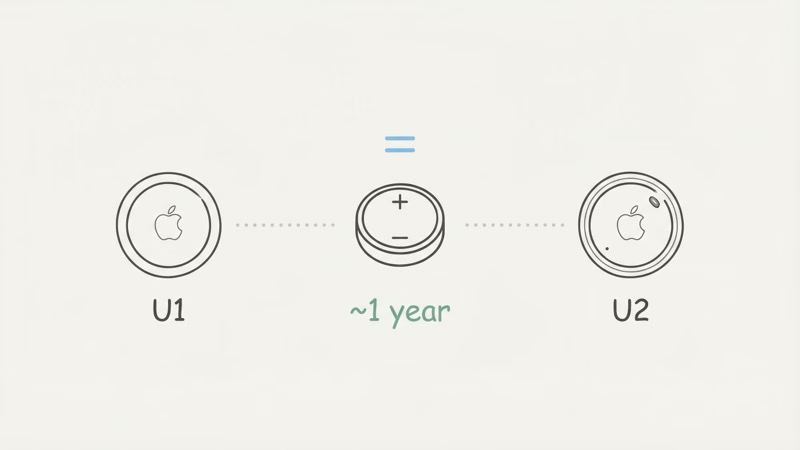
Both use the same CR2032 battery, and Apple rates both at "more than a year." For everyday tracking, battery life is basically identical between the two generations.
The hardware is different under the hood, though. AirTag 2 runs the U2 Ultra Wideband chip (same one in iPhone 17 and Apple Watch Series 11) and has a louder, redesigned speaker. The U2 chip lets Precision Finding work from up to 50% farther away than the original U1 chip. But UWB transmissions are brief and infrequent during normal use, so standby power draw is about the same.
The one place you might see a difference: Play Sound. AirTag 2's louder speaker pulls more current each time it fires. A Tom's Guide review of AirTag 2 noted roughly the same battery life as the original during their testing period. For a full rundown of all 15+ differences, MacRumors published a detailed AirTag 1 vs AirTag 2 buyer's guide.
Bottom line here: don't expect AirTag 2 to outlast the original. Same battery, same ballpark.
How to Check AirTag Battery Level in Find My
Open the Find My app, tap Items, then tap your specific AirTag. The battery indicator shows up near the item name. Apple ditched the percentage readout in recent iOS versions. Now you get three states: Full, Low, and Very Low.
You'll also get a push notification when the battery hits "Low." That typically comes several weeks before the AirTag actually dies, so there's plenty of time to grab a replacement CR2032.
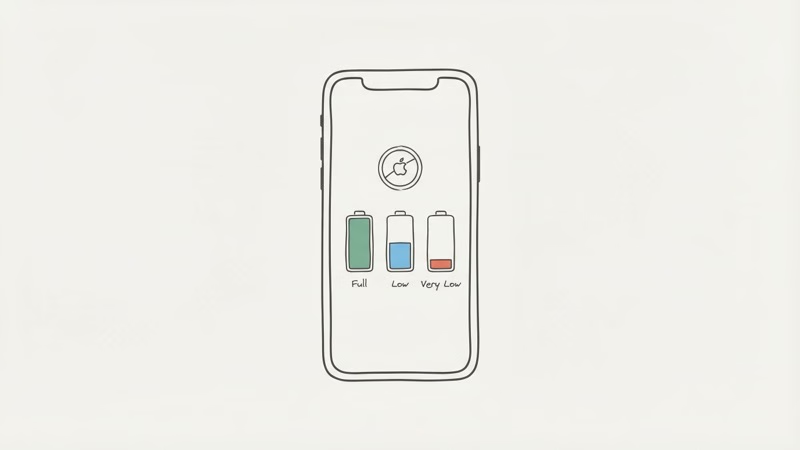
Keep in mind that a "Very Low" battery can reduce how often your AirTag broadcasts its Bluetooth signal. If you notice location updates becoming less frequent in Find My before you see a low battery alert, check the battery first. This matters most for AirTags used in cars where you want consistent position reporting.
Pre-Flight AirTag Battery Check
Add that battery indicator to your packing routine. Open Find My the night before a trip and confirm the AirTag in your luggage still shows Full. If the low-battery warning has already appeared, swap in a fresh CR2032 before the bag leaves your hands, because a tracker that dies mid-journey can't tell you where your suitcase got stranded.
Pack spares correctly, too. The FAA's PackSafe rules for lithium batteries require spare, uninstalled lithium cells to ride in carry-on baggage only, with terminals protected against short circuit. The AirTag itself, battery installed, is a different case entirely; our guide to using an AirTag in checked luggage walks through what airlines and regulators actually allow on both domestic and international flights.
The Best CR2032 Batteries for AirTag Explained
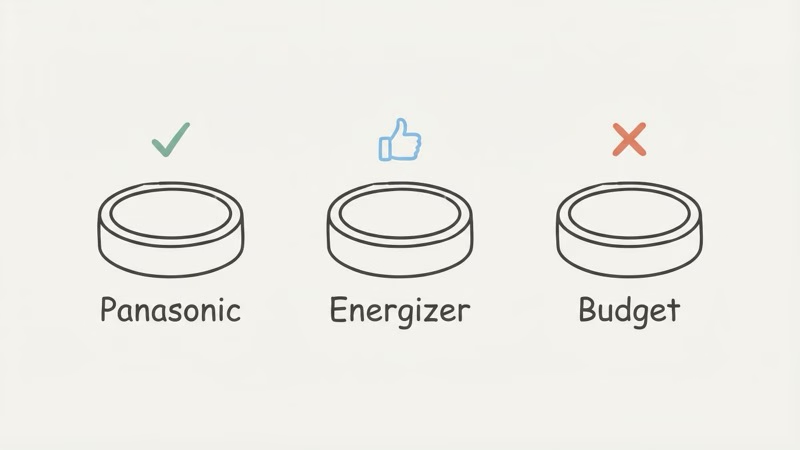
Buy Panasonic CR2032. That's the short answer. Across multiple independent tests, Japanese-made Panasonic cells deliver the longest life and steadiest voltage output, even in cold conditions. For a full brand-by-brand breakdown, see our best CR2032 battery for AirTag guide.
Here's how the major brands stack up for AirTag use:
| Brand | AirTag Compatibility | Expected fit | Notes |
|---|---|---|---|
| Panasonic CR2032 | Excellent | Best overall pick | Best overall pick, no coating issues |
| Energizer CR2032 | Good | Reliable mainstream option | Widely available, reliable |
| Duracell CR2032 | Check packaging | Check for AirTag-compatible packaging | Some versions have bitterant coating |
| Murata/Sony CR2032 | Excellent | Strong cold-weather option | Great for cold environments |
| No-name/budget CR2032 | Risky | Variable capacity and contact risk | Lower actual capacity, possible coating |
The Bitter Coating Problem
Since 2020, some battery manufacturers (Duracell being the main offender) have added a bitterant coating called Bitrex to CR2032 cells as a child-safety measure. The coating tastes awful so kids spit the battery out -- smart for safety, terrible for AirTags.
That coating acts as an insulator, preventing proper electrical contact with AirTag's battery terminals. Apple published an official support article about AirTag battery replacement specifically warning about this. Symptoms: the AirTag won't power on after a battery swap, or it shows low battery right away with a fresh cell. If the warning stays after a fresh cell, start with our guide to why AirTag says low battery before replacing parts.
Newer Duracell packaging now says "compatible with Apple AirTag." If you're not sure, just go with Panasonic or Energizer. For the step-by-step swap process, see our complete AirTag battery replacement guide.
How to Maximize AirTag Battery Life
You can't double your battery life, but you can avoid cutting it in half. There's no power-saving mode on AirTag, no configurable broadcast settings -- the battery draws what it draws. A few habits do make a real difference, though.
Use Precision Finding only when you actually need it. Don't open the directional arrow just to confirm your keys are in the house. If Find My already shows the AirTag at your home address, trust it. The UWB chip eats more power than anything else in the device, so frequent Precision Finding sessions shorten battery life.
Go easy on Play Sound, too. AirTag 2's louder speaker makes this worse. Before triggering another sound, check whether the beeping you hear is actually a low-battery alert.
Keep your AirTag out of extreme temperatures. A car dashboard in August or a ski jacket pocket in January will both kill the battery faster. If your AirTag is in a hidden spot in your car, pick somewhere insulated from temperature swings, like the trunk or under a seat.
And buy good batteries. Panasonic CR2032, sealed 5-pack, done. No-name cells from a discount bin can have lower actual capacity than the label claims, and some come with that bitterant coating problem mentioned above.
Wondering if AirTags can be recharged instead of battery-swapped? Our guide on whether AirTags need to be charged explains why Apple went with the replaceable battery design.
Cold Weather and AirTag Battery Life
Cold doesn't permanently drain the cell, but it does throttle how much power the battery can deliver while it stays cold. Energizer's CR2032 datasheet shows lithium coin-cell capacity drops at low temperatures, then recovers once the cell warms back to room temperature.
In practice, an AirTag clipped to a winter jacket or left in a frozen car may flash a low-battery warning or update less reliably on the coldest days, then read normal again indoors. That dip is temporary, not a dead battery.
The one lasting risk is extreme cold cracking the coin cell's casing, so a tag stored for months in sub-freezing conditions deserves a quick battery check in spring. For year-round reliability, keep a spare CR2032 on hand and swap at the first low-battery alert rather than waiting for a January cold snap to expose a weak cell.
The Bottom Line
AirTag battery lasts more than a year by Apple's rating. Plan around an annual CR2032 swap and you won't be caught off guard. Grab a pack of Panasonic CR2032 cells, set a calendar reminder, and stop thinking about it.
The annual battery cost is low, there's no monthly fee, and the swap is a quick twist-open job. Hard to beat that for a tracking device.
Frequently Asked Questions
How long does an AirTag battery last on average?
Apple rates AirTag battery life at more than a year with a standard CR2032. That rating assumes four Play Sound events and one Precision Finding session per day, so lighter use can stretch longer and heavy sound or Precision Finding use can shorten it.
Does AirTag 2 have better battery life than the original?
No. Same CR2032 battery, same approximate one-year rating from Apple. The U2 chip and louder speaker draw slightly more during active use, but standby consumption is nearly identical.
What happens when AirTag battery dies?
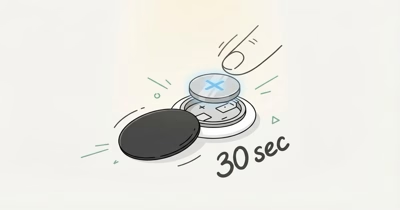
It stops working entirely. No Bluetooth signal, no location updates, no sound. The last known location stays visible in Find My but won't refresh. To fix it, press down on the stainless steel back cover, twist counterclockwise, drop in a fresh CR2032, and twist the cover back on. Your Apple ID pairing survives battery changes, so there's no re-setup.
Why did my AirTag battery die after only 6 months?
Usually one of three things: a cheap CR2032 with less capacity than advertised, a battery with bitterant coating causing spotty contact, or extreme temperature exposure (hot cars, freezing winters). Switch to Panasonic or Energizer and see if the next one lasts longer.
Can I use a rechargeable CR2032 in AirTag?
Apple doesn't recommend it, and I wouldn't either. Rechargeable LiR2032 cells output 3.6V instead of the standard 3.0V, which can damage the AirTag's circuitry over time. They also hold only 40-70mAh compared to 220mAh for a disposable CR2032, so you'd get a few months per charge at best. The math doesn't add up: a Panasonic CR2032 costs $1.50 and lasts a year. A rechargeable cell costs $5-8, needs a special charger, and dies every 2-3 months. Stick with disposable.
Does Notify When Left Behind drain AirTag battery?
A little bit, yes. It requires more frequent Bluetooth check-ins between your iPhone and AirTag. For most people, the safety benefit is well worth that tradeoff. Even if you have separation alerts on five or more AirTags, the per-device impact stays small.
How do I check AirTag battery without an iPhone?
You can't. AirTag battery status is only visible through the Find My app on iPhone, iPad, or Mac. There's no LED indicator on the AirTag itself and no way to check from an Android device. If you suspect the battery is low, the only option is to open Find My on an Apple device or preemptively swap the CR2032.
Will removing the AirTag battery erase my data?
No. Everything is stored on Apple's servers through iCloud, not on the AirTag itself. Your Apple ID association, item name, settings, all of it. Pull the battery out, put it back in (or swap a new one), and the AirTag reconnects to your account automatically. The only way to actually unpair an AirTag is to remove it through Find My on purpose. To unpair, remove the AirTag through Find My settings on your Apple device.