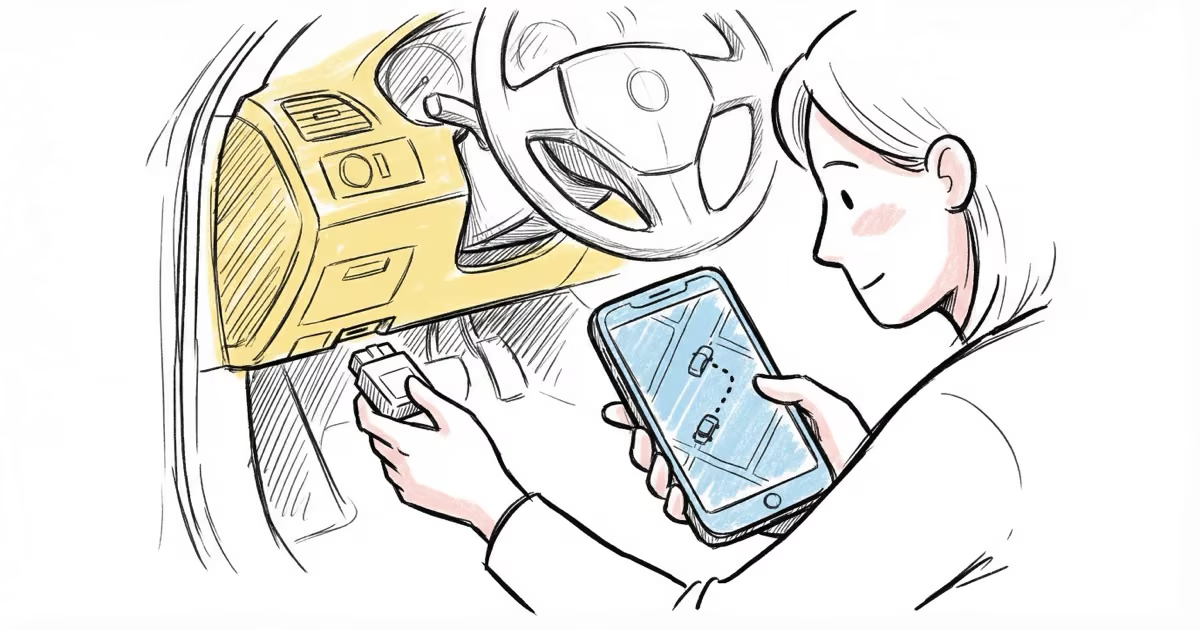
The MOTOsafety OBD GPS tracker is one of the best OBD-II trackers for monitoring teen drivers. It plugs into any post-1996 vehicle in under 5 minutes, updates location every 60 seconds, and generates driving report cards that score speed, braking, and acceleration. At $19.95 per month with the device included free, it undercuts most competitors on total cost. The main downside: the mobile app feels dated and geofencing setup is easier on the web portal.
Your teenager just got their license. You're proud, nervous, and wondering how fast they'll drive when you're not in the passenger seat. That's the exact scenario MOTOsafety was built for. We plugged this OBD-II GPS tracker into a 2019 Honda Civic and tracked a new teen driver for three weeks. Here's what we found.
- MOTOsafety updates location every 60 seconds and generates weekly driving report cards scoring speed, braking, and acceleration.
- Installation takes under 5 minutes with no tools. Plug it into the OBD-II port under the steering column.
- The device is included free with the $19.95/month subscription. No upfront hardware cost.
- Geofencing, curfew alerts, and speed alerts are all customizable through the web portal.
- The mobile app works but feels basic compared to the web portal. Serious configuration needs a browser.
What's in the Box and How It Sets Up
The package is minimal: the MOTOsafety OBD tracker, a zip tie for extra security, and a quick start card. No power cable because it draws power directly from the OBD-II port. That port sits under the steering column in every car built after 1996.
Setup was faster than expected. Plug the device in, create a MOTOsafety account, and the tracker appeared on the web dashboard within about 15 minutes. Linking the mobile app took a few extra minutes. Total time from unboxing to live tracking: roughly 30 minutes, and most of that was waiting for GPS lock.
One thing worth mentioning: the OBD-II port location varies by vehicle. In our Honda Civic, it was right below the steering wheel. In some trucks and older vehicles, you might need a flashlight to find it. The zip tie is smart, since road vibrations can gradually loosen the connection over months.
Real-Time Tracking and Location Accuracy
MOTOsafety updates the vehicle's position every 60 seconds while driving. We tested accuracy across multiple scenarios over three weeks.
| Scenario | Accuracy | Notes |
|---|---|---|
| Highway driving | Within 15 feet | Consistent updates, no gaps |
| Residential streets | Within 20 feet | Slight lag at intersections |
| Parking garage | 50-100 feet | GPS signal weakened by concrete |
| Stationary overnight | Within 10 feet | Stable, no drift |
The 60-second update interval is standard for OBD-II trackers at this price point. For comparison, the Family1st GPS tracker and Bouncie offer similar intervals. If you need faster updates, the LandAirSea 54 offers 3-second tracking but costs more per month.
Teen Safety Features: Where MOTOsafety Shines
This is the tracker's strongest selling point. MOTOsafety wasn't designed for fleet management or asset tracking. It was built for parents.
Driving Report Cards
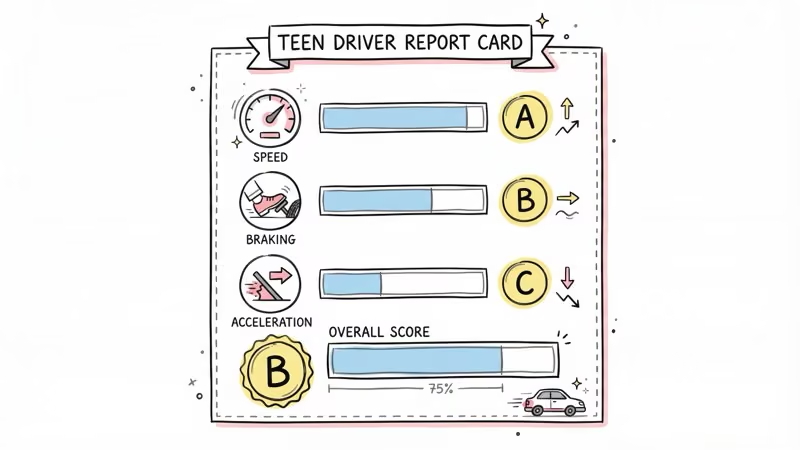
Every week, MOTOsafety emails a driving report card that grades your teen on speed compliance, hard braking events, rapid acceleration, and overall driving score. After three weeks, our test driver's score improved from a C+ to a B. The report gave us specific incidents to discuss rather than vague lectures about "driving safely."
Geofence Alerts
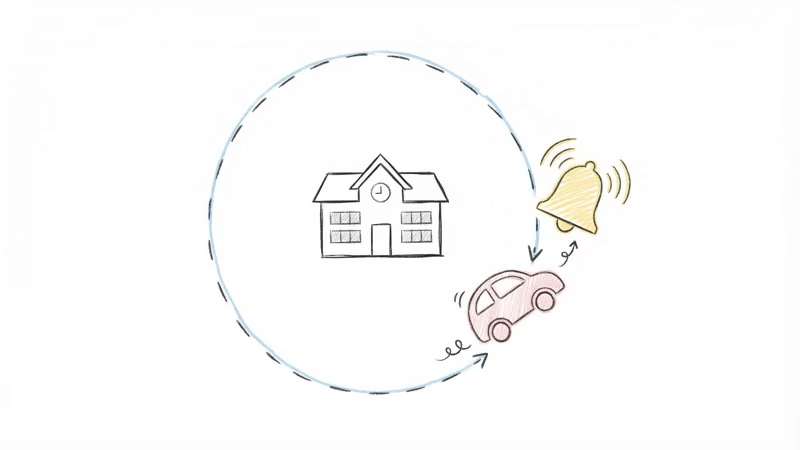
You set virtual boundaries on a map. When the vehicle crosses one, you get a push notification and email. We set geofences around school, home, and a friend's house. Alerts came within 1-2 minutes of crossing the boundary, which is fast enough for any practical purpose.
Curfew Alerts
Set hours when the vehicle shouldn't be moving. If the car starts during restricted hours, MOTOsafety sends an immediate alert. This feature alone justified the subscription for our test parent.
Speed Alerts
Customize the speed threshold. We set it at 10 mph over the posted limit. MOTOsafety flagged three incidents in week one. By week three, zero.
Mobile App vs Web Portal
MOTOsafety offers both a mobile app and a web dashboard. They're not equal.
The web portal is the stronger experience. It handles geofence creation, alert configuration, driving report analysis, and trip history with a clean interface. If you need to set up or change anything, use a browser.
The mobile app gives you real-time location and basic alerts on the go. It works, but the design feels dated compared to apps from Vyncs or Bouncie. Geofence setup on the app is clunky enough that MOTOsafety's own support team recommends using the web portal instead.
One positive: the app sends push notifications reliably. During our testing, every speed alert and geofence crossing triggered a notification within 1-2 minutes.
Vehicle Maintenance Reminders
A feature most parents overlook. Because MOTOsafety plugs into the OBD-II port, it can read diagnostic codes and track mileage. It sends reminders for oil changes, tire rotations, and other scheduled maintenance based on actual miles driven.
For a teen who's never owned a car, these reminders are genuinely useful. It's teaching car maintenance habits alongside driving habits. Not a reason to buy the tracker on its own, but a nice bonus.
Cost Comparison: MOTOsafety vs Competitors
| Feature | MOTOsafety | Optimus 2.0 | Spy Tec GL300 | Vyncs |
|---|---|---|---|---|
| Device cost | $0 (included) | $49.99 | ~$40 | $0 (included) |
| Monthly fee | $19.95 | $24.95 | $24.95 | ~$6.58 (annual) |
| 2-year total | $479 | $649 | $639 | $208 |
| Update interval | 60 sec | 60 sec | 5 sec | 60 sec |
| Driver scoring | Yes | No | No | Basic |
| Installation | OBD plug-in | Portable | Portable | OBD plug-in |
MOTOsafety sits in the middle on price. Vyncs is cheaper but lacks real-time tracking and detailed driving reports. Spy Tec tracks faster but costs more and requires separate charging. For a parent who wants driver coaching plus GPS tracking in one device, MOTOsafety hits a sweet spot.
What Could Be Better
Pros
- Free device with subscription
- Weekly driving report cards with scores
- Geofence, curfew, and speed alerts
- OBD-II maintenance code reading
- Under 5-minute installation
- Responsive customer support via live chat
Cons
- Mobile app feels outdated
- Geofence setup is clunky on mobile
- 60-second updates are standard, not fast
- Cancellation process is unclear
- OBD-II port visible to teen if they look under the dash
The cancellation policy needs specific attention. Several users on forums report difficulty canceling the subscription. MOTOsafety's customer support was responsive when we contacted them about other issues, but the cancellation terms should be clearer upfront.
If the OBD-II port visibility concerns you, the Spy Tec GL300 is a portable magnetic tracker that can be hidden anywhere on the vehicle. The trade-off: you lose OBD-II diagnostics and driver scoring, and the Spy Tec needs charging every 2-3 weeks.
Bottom Line
MOTOsafety is the right tracker if your primary goal is monitoring and coaching a teen driver. The driving report cards and customizable alerts do something most GPS trackers don't: they turn raw location data into actionable parenting tools. At $19.95/month with no device cost, it's a reasonable investment for the first year or two of a teenager's driving life. For pure vehicle tracking without the parenting features, Vyncs does the job at a third of the cost.
FAQ
How does the MOTOsafety GPS tracker install?
Plug it into the OBD-II port under your steering column. No wiring, no tools. Every vehicle made after 1996 has this port. The whole process takes under 5 minutes, and the tracker draws power directly from the port.
Does MOTOsafety work in extreme temperatures?
Yes. The tracker operates from -22 to +158 degrees Fahrenheit. Since it sits inside the vehicle plugged into the OBD port, it's protected from direct weather exposure. We tested through both cold snaps and summer heat with no issues.
How accurate is MOTOsafety's location tracking?
Within 15-20 feet during normal driving. Updates arrive every 60 seconds while the vehicle is moving. Accuracy drops in parking garages and dense urban canyons where GPS signals bounce off buildings.
Can my teen disable the MOTOsafety tracker?
They could unplug it from the OBD-II port, but MOTOsafety sends an immediate disconnection alert when the device loses power. You'll know within minutes if the tracker has been removed.
What happens if I cancel the MOTOsafety subscription?
The tracker stops working when the subscription lapses. There's no contract, but several users report the cancellation process is less straightforward than signing up. Contact support directly for the quickest cancellation.
Is MOTOsafety better than using an AirTag for teen tracking?
For completely different reasons, yes. AirTag shows location but has no driving reports, no speed alerts, no geofencing, and no curfew monitoring. It's a location finder, not a driver coaching tool. MOTOsafety is purpose-built for the teen driving use case.
Does MOTOsafety read check engine codes?
Yes. Because it connects through OBD-II, it can read diagnostic trouble codes and send maintenance reminders based on actual mileage. It won't replace a mechanic's scanner, but it catches basic issues like a loose gas cap or overdue oil change.