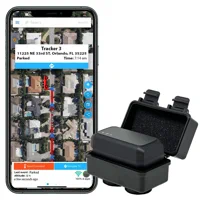
The MOTOsafety OBD GPS tracker is one of the best OBD-II trackers for monitoring teen drivers. It plugs into any post-1996 vehicle in under 5 minutes, updates location every 60 seconds, and generates driving report cards that score speed, braking, and acceleration. At $19.95 per month with the device included free, it undercuts most competitors on total cost. The main downside: the mobile app feels dated and geofencing setup is easier on the web portal.
Your teenager just got their license. You're proud, nervous, and wondering how fast they'll drive when you're not in the passenger seat. That's the exact scenario MOTOsafety was built for.
This OBD-II GPS tracker is built around that exact worry, pairing live location with driver-coaching reports. Here's how it works and who it fits.
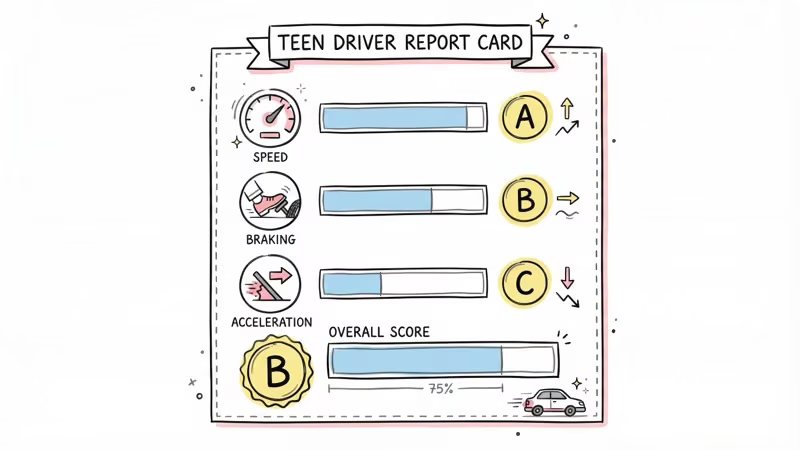
- MOTOsafety updates location every 60 seconds and generates weekly driving report cards scoring speed, braking, and acceleration.
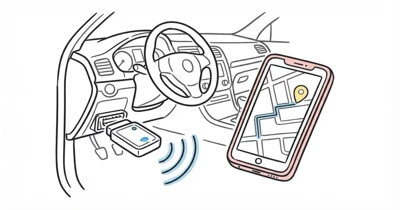
- Installation is tool-free. Plug it into the OBD-II port under the steering column.
- The device is included free with the $19.95/month subscription. No upfront hardware cost.
- Geofencing, curfew alerts, and speed alerts are all customizable through the web portal.
- The mobile app works but feels basic compared to the web portal. Serious configuration needs a browser.
What's in the Box and How It Sets Up
The package is minimal: the MOTOsafety OBD tracker, a zip tie for extra security, and a quick start card. No power cable because it draws power directly from the OBD-II port. That port sits under the steering column in every car built after 1996.
Setup is simple. Plug the device in, create a MOTOsafety account, and wait for the tracker to acquire GPS signal before it appears on the web dashboard. Linking the mobile app adds another account step.
The slowest part is usually waiting on the first GPS lock. The National Insurance Crime Bureau's vehicle theft data reported that over 1 million vehicles were stolen in the US in 2023.
One thing worth mentioning: the OBD-II port location varies by vehicle. On most sedans it sits right below the steering wheel. In some trucks and older vehicles, you might need a flashlight to find it. The zip tie is smart, since road vibrations can gradually loosen the connection over months.
Real-Time Tracking and Location Accuracy
MOTOsafety updates the vehicle's position every 60 seconds while driving. Consumer GPS accuracy varies by environment, so treat the table below as a practical expectation guide rather than a lab result.
| Scenario | What to expect | Notes |
|---|---|---|
| Highway driving | Strongest GPS performance | Open sky, consistent updates |
| Residential streets | Useful street-level positioning | Some lag near intersections |
| Parking garage | Reduced precision | GPS signal weakened by concrete |
| Stationary overnight | Low drift when signal holds | Stable when the vehicle stays put |
The 60-second update interval is standard for OBD-II trackers at this price point. For comparison, the Family1st GPS tracker and Bouncie offer similar intervals.
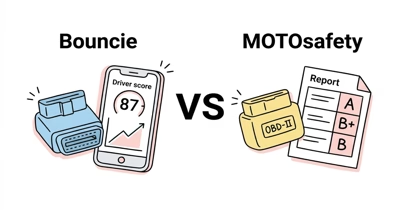
Our Bouncie vs MOTOsafety comparison breaks down the full feature and cost differences. If you need faster updates, the LandAirSea 54 offers 3-second tracking but costs more per month.
What Teen Safety Features Does MOTOsafety Offer?
This is the tracker's strongest selling point. MOTOsafety wasn't designed for fleet management or asset tracking. It was built for parents. The stakes are real: NHTSA reported that speeding was a factor in 33% of teen drivers involved in fatal passenger-vehicle crashes in 2024, which is exactly the behavior a speed-scoring tracker is meant to surface.
Driving Report Cards
Every week, MOTOsafety emails a driving report card that grades your teen on speed compliance, hard braking events, rapid acceleration, and an overall driving score. Because the report ties each mark to specific incidents, it gives parents concrete moments to discuss rather than vague lectures about "driving safely." MOTOsafety reports over the GPS satellite network the U.S. government documents at GPS.gov.
Geofence Alerts
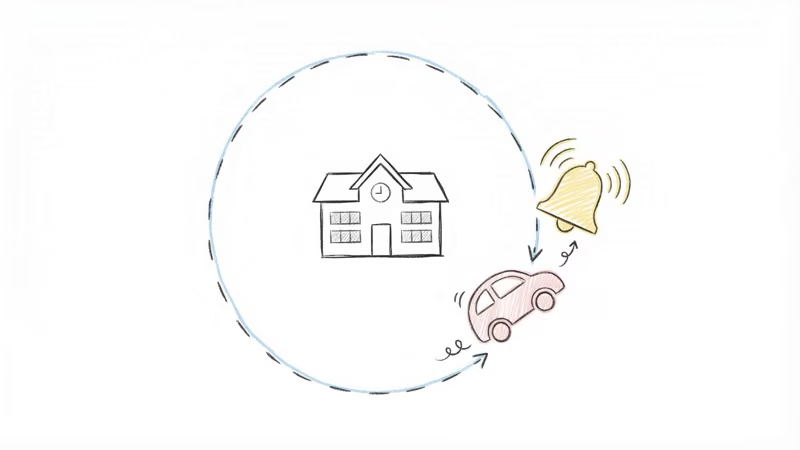
You set virtual boundaries on a map. When the vehicle crosses one, you get a push notification and email. Common setups include geofences around school, home, and a friend's house. Alerts typically arrive within 1-2 minutes of crossing the boundary, which is fast enough for any practical purpose.
Curfew Alerts
Set hours when the vehicle shouldn't be moving. If the car starts during restricted hours, MOTOsafety sends an immediate alert. For many parents, this feature alone justifies the subscription.
Speed Alerts
Customize the speed threshold, for example 10 mph over the posted limit. MOTOsafety flags each crossing as it happens, and the running tally on the report card is what makes the coaching effect stick over the first few weeks.
Mobile App vs Web Portal
MOTOsafety offers both a mobile app and a web dashboard. They're not equal.
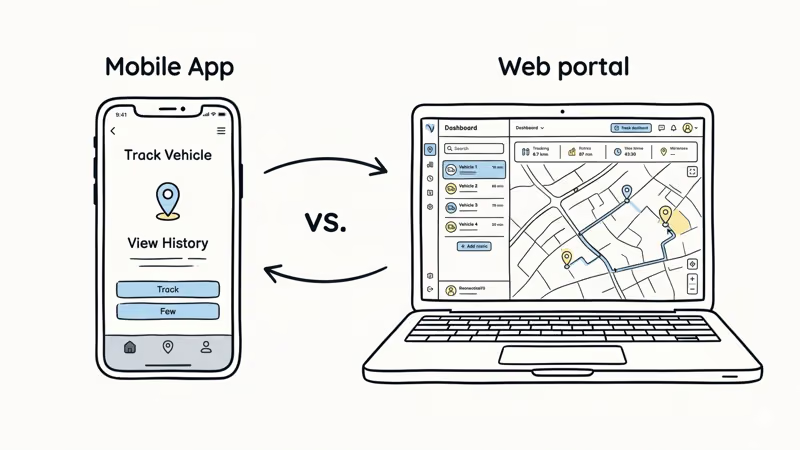
The web portal is the stronger experience. It handles geofence creation, alert configuration, driving report analysis, and trip history with a clean interface. If you need to set up or change anything, use a browser.
The mobile app gives you real-time location and basic alerts on the go. It works, but the design feels dated compared to apps from Vyncs or Bouncie. Geofence setup on the app is clunky enough that MOTOsafety's own support team recommends using the web portal instead.
One positive: the app sends push notifications reliably. Speed alerts and geofence crossings generally trigger a notification within 1-2 minutes of the event.
Vehicle Maintenance Reminders
A feature most parents overlook. Because MOTOsafety plugs into the OBD-II port, it can read diagnostic codes and track mileage. It sends reminders for oil changes, tire rotations, and other scheduled maintenance based on actual miles driven.
For a teen who's never owned a car, these reminders are useful. It's teaching car maintenance habits alongside driving habits. Not a reason to buy the tracker on its own, but a nice bonus.
Cost Comparison: MOTOsafety vs Competitors
| Feature | MOTOsafety | Optimus 3.0 | Spy Tec GL300 | Vyncs |
|---|---|---|---|---|
| Device cost | $0 (included) | ~$27 | Free w/ plan | $0 (included) |
| Monthly fee | $19.95 | $19.95 | $34.95 | ~$8.33 (annual) |
| 2-year total | $479 | $506 | $839 | $208 |
| Update interval | 60 sec | 60 sec | 5 sec | 60 sec |
| Driver scoring | Yes | No | No | Basic |
| Installation | OBD plug-in | Portable | Portable | OBD plug-in |
MOTOsafety sits in the middle on price. Vyncs is cheaper but lacks real-time tracking and detailed driving reports. Spy Tec tracks faster but costs more and requires separate charging. For a parent who wants driver coaching plus GPS tracking in one device, MOTOsafety hits a sweet spot.
What Could Be Better About MOTOsafety?
- Free device with subscription
- Weekly driving report cards with scores
- Geofence, curfew, and speed alerts
- OBD-II maintenance code reading
- Under 5-minute installation
- Responsive customer support via live chat
- Mobile app feels outdated
- Geofence setup is clunky on mobile
- 60-second updates are standard, not fast
- Cancellation process is unclear
- OBD-II port visible to teen if they look under the dash
The cancellation policy needs specific attention. Several users on forums report difficulty canceling the subscription. Reports on customer support are mixed, but the recurring theme is that the cancellation terms should be clearer upfront. It's worth reading any tracker subscription terms closely before committing to a 12-month plan.
If the OBD-II port visibility concerns you, the Spy Tec GL300 is a portable magnetic tracker that can be hidden anywhere on the vehicle. The trade-off: you lose OBD-II diagnostics and driver scoring, and the Spy Tec needs charging every 2-3 weeks.
Bottom Line
MOTOsafety is the right tracker if your primary goal is monitoring and coaching a teen driver. The driving report cards and customizable alerts do something most GPS trackers don't: they turn raw location data into actionable parenting tools.
At $19.95/month with no device cost, it's a reasonable investment for the first year or two of a teenager's driving life.
For pure vehicle tracking without the parenting features, Vyncs does the job at a third of the cost. For a broader look at all the trackers built for new drivers, see our best GPS tracker for teen drivers roundup.
FAQ
How does the MOTOsafety GPS tracker install?
Plug it into the OBD-II port under your steering column. No wiring, no tools. Every vehicle made after 1996 has this port, and the tracker draws power directly from it.
Does MOTOsafety work in extreme temperatures?
Yes. The tracker is rated to operate from -22 to +158 degrees Fahrenheit. Since it sits inside the vehicle plugged into the OBD port, it's protected from direct weather exposure, so cold snaps and summer heat are generally a non-issue.
How accurate is MOTOsafety's location tracking?
Expect street-level positioning when GPS signal is strong. Updates arrive every 60 seconds while the vehicle is moving, and accuracy drops in parking garages or dense urban canyons where GPS signals bounce off buildings.
Can my teen disable the MOTOsafety tracker?
They could unplug it from the OBD-II port, but MOTOsafety sends an immediate disconnection alert when the device loses power. You'll know within minutes if the tracker has been removed.
What happens if I cancel the MOTOsafety subscription?
The tracker stops working when the subscription lapses. There's no contract, but several users report the cancellation process is less simple than signing up. Contact support directly for the quickest cancellation.
Is MOTOsafety better than using an AirTag for teen tracking?
For completely different reasons, yes. AirTag shows location but has no driving reports, no speed alerts, no geofencing, and no curfew monitoring. It's a location finder, not a driver coaching tool. MOTOsafety is purpose-built for the teen driving use case.
Does MOTOsafety read check engine codes?
Yes. Because it connects through OBD-II, it can read diagnostic trouble codes and send maintenance reminders based on actual mileage. It won't replace a mechanic's scanner, but it catches basic issues like a loose gas cap or overdue oil change.