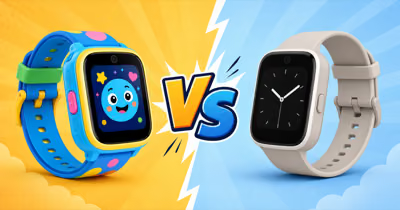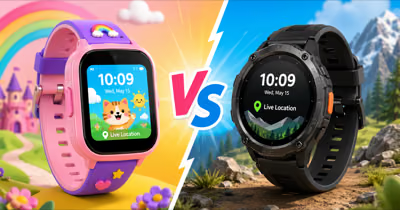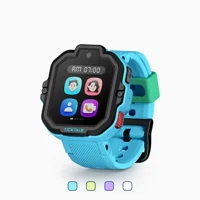
TickTalk 5 ($200) is the better value for most families; choose Xplora X5 Play ($120) if your child is active and you want IP68 + fitness challenges.
Model update note: This comparison was originally written for the TickTalk 4. The current generation is the TickTalk 5 ($200, AMOLED display, eSIM, HD video calling). Core differences vs Xplora X5 Play (camera + fall detection vs IP68 + fitness gamification) hold across generations.
Both TickTalk 4 and Xplora X5 Play are GPS smartwatches built for kids.
But they target different age groups and priorities. TickTalk leans into entertainment and communication features for younger elementary schoolers. Xplora focuses on fitness gamification for active tweens and teens.
This comparison weighs both watches on their published specs, feature sets, monthly costs, and independent reviews, so that by the end you can see at a glance which of the two is the better match for your child’s age, your carrier, and the way your family actually wants to use a kids smartwatch.
The hardware and tracking perform well on both, but the total cost of ownership and feature set tell a clear story.
- TickTalk 4 includes a camera, video calling, music streaming, and fall detection that Xplora lacks.
- Xplora X5 Play has IP68 water resistance (5 ft for 60 min) vs TickTalk’s IP67 (3 ft for 30 min).
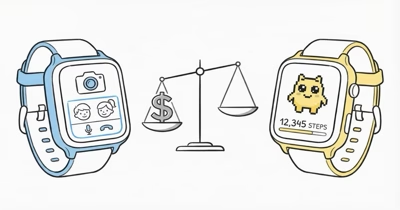
- TickTalk’s first-year cost is roughly $320. Xplora’s ranges from $240 to $480 depending on the plan you pick.
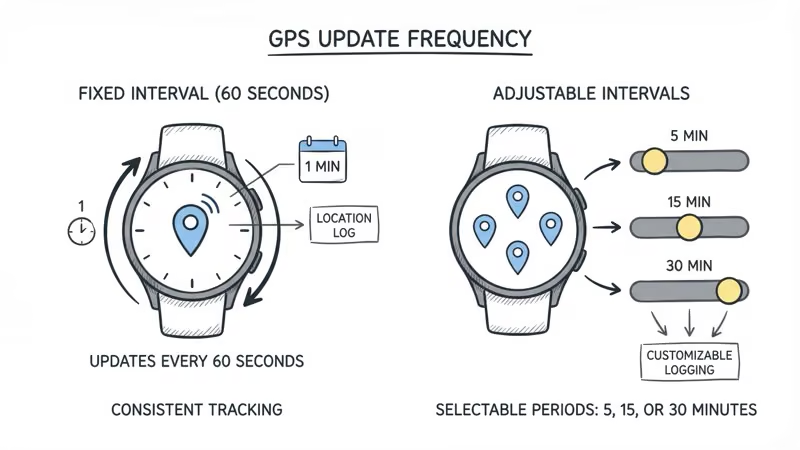
- Xplora offers more flexible GPS check-in intervals: every 5, 15, or 30 minutes. TickTalk updates every 60 seconds.
- Both watches block internet, social media, and unapproved contacts entirely.
Feature Comparison Table
| Feature | TickTalk 4 | Xplora X5 Play |
|---|---|---|
| Device price | $199.99 | $119.99 |
| Monthly plan | $9.99-$19.99 | $9.99-$29.99 |
| SIM included | Bundled (Red Pocket Mobile) | No (buy separately) |
| Video calling | Yes | Yes |
| Camera | Yes (dual cameras) | No |
| Texting | Voice-to-text + voice messages | Voice, text, photo messages |
| GPS update interval | Every 60 seconds | Every 5, 15, or 30 min |
| Geofencing | Yes (safe zone alerts) | Yes (safe zone alerts) |
| SOS contacts | 2 | 3 |
| Fall detection | Yes | No |
| Water resistance | IP67 | IP68 |
| Battery | 1000 mAh, 72hr standby | 800 mAh, 72hr standby |
| Fitness tracking | Step counter | Steps, challenges, virtual rewards |
| Contract | None | None |
⇄ Head-to-head
TickTalk 5 vs Xplora X5 Play
- +HD video calling with dual cameras (Xplora has video but no camera)
- +Fall detection (Xplora doesn't offer it)
- +iHeartRadio Family music streaming built in
- +60-second GPS update interval (more frequent than Xplora's 5+ min)
- +Bundled SIM card on Red Pocket Mobile, no separate carrier shopping
- +IP68 waterproof (5 ft for 60 min) — survives pool fall vs TickTalk's IP67
- +Configurable GPS intervals (5/15/30 min) extend battery vs always-on
- +Step challenges + virtual rewards motivate active kids
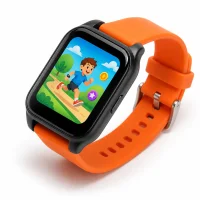
- +$80 cheaper upfront than TickTalk 5
- +Voice / text / photo messaging with broader composition options
- +3 SOS contacts vs TickTalk's 2
- −$80 more upfront than Xplora X5 Play
- −IP67 water resistance vs Xplora's IP68
- −60-second GPS pings drain battery faster than Xplora's interval modes
- −No camera, no still photo capability
- −No fall detection
- −Buy a separate SIM card; unlimited plan runs $29.99/month
- −First-year cost ranges $240-$480 depending on plan tier
- ·Your child is 5-9 and wants camera, music, and games
- ·Fall detection matters for an active younger child
- ·You want a bundled SIM and simpler setup
- ·You prefer the lower unlimited plan cost ($19.99 vs $29.99)
- ·Your child is 8+ and motivated by fitness challenges
- ·You want IP68 water resistance for swimming or water sports
- ·You only need the basic $9.99/month plan
- ·A slimmer, lighter watch design matters for comfort
How Does the GPS Tracking and Safety Compare?
Both watches exist to answer one question: where is my child right now? They both deliver, but with different strengths. The FCC’s children’s privacy guide recommends that GPS-enabled devices for kids disable features that could expose location data to third parties, and states that parents should check what data each app collects before setup.
Tracking accuracy and frequency
TickTalk updates location every 60 seconds, which gives a nearly continuous view of movement.
In open suburban areas, this class of watch is usually precise enough to confirm which building or park your child is in, but it’s not designed for room-level indoor location.
Xplora lets parents choose between 5-minute, 15-minute, or 30-minute check-in intervals. The 5-minute option drains battery faster but gives tighter monitoring for younger kids. In urban areas, buildings and signal reflections can make either watch less precise than it looks on the map.
Both watches struggle with indoor accuracy, which is standard for consumer GPS hardware that depends on a clear view of the sky. Inside a multi-story school or a large store, the pin can drift well off the real position until the watch reacquires signal, so if you need highly precise indoor tracking, consider supplementing with a dedicated tracker like an AirTag.
Geofencing
Both TickTalk 4 and Xplora X5 Play support geofencing. You set a virtual boundary in the app and get an alert when your child crosses it.
On both watches, boundary notifications depend on the location refresh interval, cellular signal, and app delivery.
Useful for school arrival confirmations, playground limits, and neighborhood boundaries, the kind of everyday routines most parents set up first when they unbox either watch. SafeWise’s kids GPS tracker guide surveys the wider category.
SOS button
Both watches have a hold-to-activate SOS button that cycles through preset emergency contacts until someone answers.
Xplora allows 3 emergency contacts in the rotation. TickTalk supports 2. A small difference, but worth noting for families who want a deeper call chain.
Fall detection
TickTalk has a built-in accelerometer that can detect falls and automatically trigger an SOS alert without your child having to press anything. This matters most for active kids who climb, skateboard, bike, or play rough, since a hard fall is exactly the moment they may be too shaken to reach the button themselves. Xplora doesn’t have fall detection at all.
Fall detection adds a layer of safety that’s hard to replicate with other features. Both watches also lean on the same satellite positioning; GPS.gov states that smartphone-grade GPS is accurate to about 4.9 m (16 ft) in the open, per its accuracy data.
Communication
Calling
Both watches support voice and video calls with approved contacts. Video quality is comparable. Neither will match a smartphone, but both are clear enough to see your child and their surroundings.
Call quality depends heavily on cellular signal strength. In areas with strong LTE coverage, both are reliably clear. In spotty coverage zones, both experience occasional audio drops.
Messaging
TickTalk supports voice-to-text, voice recordings, and GIF sharing. Kids can compose their own messages within the approved contact list.
Xplora offers voice messages, preset text options, and photo messages. The photo messaging is a nice touch for kids who want to share moments visually, even though Xplora doesn’t have a standalone camera app like TickTalk.
The messaging experience on both watches is age-appropriate and restricted to approved contacts only.
Design and Durability
TickTalk 4’s rectangular design with a silicone bumper case prioritizes protection over aesthetics.
It’s chunky. Kids with small wrists may find it uncomfortable during the first few days, but the adjustable bands help. The silicone bumper is designed to absorb the drops onto concrete, asphalt, and hardwood that an active kid will inevitably cause.
Xplora X5 Play has a sportier, more modern look with a round face and bright band colors.
It’s noticeably lighter and sits more comfortably on thinner wrists. The bands are replaceable if they stretch out over time.
On water resistance, Xplora takes the lead with an IP68 rating that covers submersion to 5 feet for 60 minutes. As a rule, IP68 is the safer rating for pool exposure, while IP67 devices like the TickTalk should be removed before swimming.
TickTalk’s IP67 covers rain and splashes but shouldn’t go swimming. For detailed info on water resistance ratings, see our guide to IP ratings.
The Xplora’s rugged build is made to take long-term daily wear from an active kid without much to show for it. Between the two, both watches are built to hold up well to kid-level abuse.
Battery Life
Both watches claim 72 hours of standby, but active GPS, calls, and screen time shorten runtime:
TickTalk 4 (1000 mAh): The larger battery gives it more margin when calls, music, and regular location tracking are active. Turning off music and limiting video calls helps preserve the published standby rating.
Xplora X5 Play (800 mAh): The configurable GPS interval is the lever. Shorter 5-minute check-ins drain faster, while longer 30-minute intervals preserve more battery.
TickTalk’s larger battery gives it a slight edge, but Xplora’s configurable GPS intervals let you trade battery for precision.
Fitness and Entertainment
This is where the two watches diverge most.
TickTalk includes a camera for photos and videos, iHeartRadio Family music streaming, customizable watch faces, and virtual coin rewards. It’s more entertainment-oriented, which works well for kids ages 5-9 who want their watch to be fun.
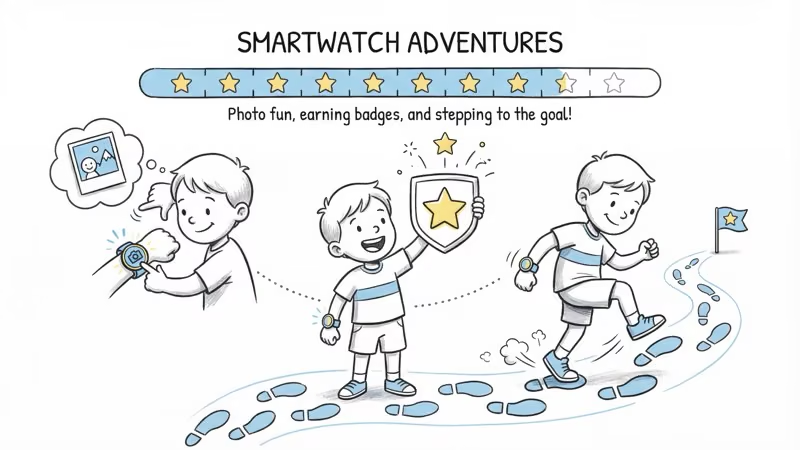
Xplora focuses on physical activity with fitness challenges, step goals, multiple sport tracking modes, and virtual coin rewards tied to movement.
Kids earn coins for steps and can unlock rewards. It lacks a camera, music player, and built-in games.
For active tweens who already have access to entertainment elsewhere, Xplora’s fitness focus is a genuine differentiator. For younger kids who need the watch to be engaging on its own, TickTalk delivers more.
Pricing and Total Cost
| TickTalk 4 | Xplora X5 Play | |
|---|---|---|
| Device | $199.99 | $119.99 |
| SIM card | Included (Red Pocket) | Buy separately |
| Basic plan | $9.99/month | $9.99/month |
| Unlimited plan | $19.99/month | $29.99/month |
| First-year total (basic) | ~$320 | ~$240 + SIM cost |
| First-year total (unlimited) | ~$440 | ~$480 + SIM cost |
| Contract | None | None |
Xplora wins on device price by $80. But if you choose the unlimited plan, it costs $10/month more than TickTalk’s equivalent, which erases that savings within 8 months.
On the basic plan, Xplora is cheaper overall.
TickTalk bundles a SIM card. Xplora doesn’t. You’ll need to buy a compatible SIM from a provider like SpeedTalk Mobile and set up service separately, which adds a small hassle and cost.
Neither watch requires a contract. Both are month-to-month.
Which Watch Should You Buy?
The Verdict tab in the head-to-head widget above breaks down the audience-fit decision for both watches. Short version: TickTalk fits younger kids (5-9) who want camera + music + fall detection; Xplora X5 Play fits active 8+ kids who’ll engage with step challenges and need IP68 water resistance.
Comparing other options? See our TickTalk vs Gabb Watch or TickTalk vs GizmoWatch comparisons.
Our TickTalk vs Angel Watch comparison covers another popular alternative. And if you’re considering whether a simpler tracker might work instead of a full smartwatch, our Jiobit review looks at a dedicated GPS tracker designed for kids.
Bottom Line
For most parents of elementary-school children, TickTalk 4 is the smarter pick.
It has more features, includes a SIM, and costs less on the unlimited plan. Xplora X5 Play makes sense for sporty tweens who’ll actually use the fitness tracking and don’t need a camera or music. If your child will be near water regularly, Xplora’s stronger IP68 rating is worth the trade-off. For a complete best kids GPS tracker roundup, see our full guide.
FAQ
Which watch has better GPS accuracy?
Both are comparable for broad outdoor location checks. The key difference is update frequency: TickTalk checks every 60 seconds automatically, while Xplora lets you set 5, 15, or 30-minute intervals. More frequent updates drain battery faster but give tighter monitoring.
Does the Xplora X5 Play have a camera?
No. Xplora doesn’t have a standalone camera app. It supports photo messaging where kids can attach images, but there’s no way to take photos or videos independently like you can on TickTalk 4.
Can my child swim with these watches?
Xplora’s IP68 rating supports submersion up to 5 feet for 60 minutes, making it safe for pool time and baths. TickTalk’s IP67 rating handles splashes and brief submersion (3 feet for 30 minutes) but isn’t designed for swimming. Neither should be used in saltwater.
Do these watches work with both iPhone and Android?
Yes. Both TickTalk and Xplora have companion apps available on iOS and Android. Setup and location monitoring work the same way regardless of your phone platform.
Which watch is better for a teenager?
Xplora. Its fitness challenges and sport tracking modes appeal more to active teens. TickTalk’s camera and music features skew younger. That said, most teenagers will want a phone over a smartwatch, so consider whether either device matches your teen’s expectations before buying.
Can these watches work overseas?
TickTalk uses GSM networks with some international compatibility, but coverage depends on the destination country. Xplora’s network availability also varies internationally. Check with your SIM provider for specific country coverage before traveling. Neither watch guarantees global operation.
What is the return policy for each watch?
TickTalk offers a 30-day return window through its website and Amazon. Xplora’s return policy varies by retailer. Amazon purchases follow standard Amazon return policies. Direct purchases from Xplora’s website typically allow returns within 14 days. Always check the specific seller’s policy before buying.