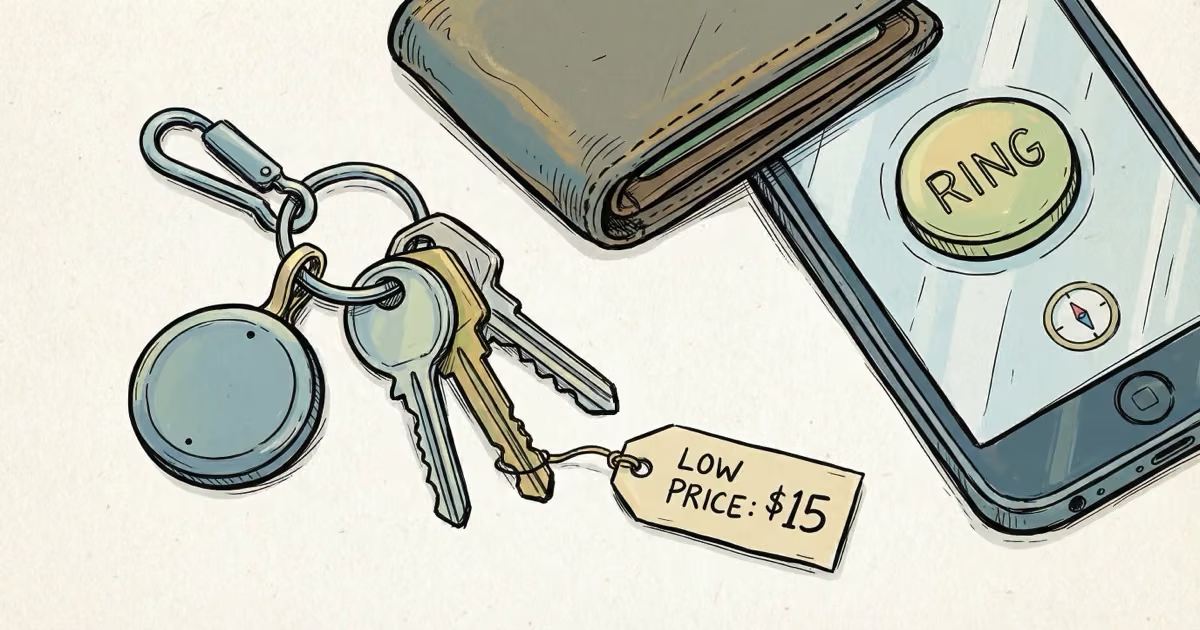
Most people don’t need a $29 AirTag to find their keys. They need something that rings loudly when they tap a button on their phone. The Zen Lyfe SwiftFinder does exactly that, for about a third of the price.
I’ve been using two SwiftFinder tags for several weeks — one on my keys, one on a shared car key. Here’s what actually works, what doesn’t, and who should buy one.
Key Takeaways
- The SwiftFinder costs around $10-15 and has no monthly fees, making it the cheapest Bluetooth tracker worth considering
- Bluetooth range reaches about 130 feet in ideal conditions, but walls and interference cut that to 40-60 feet indoors
- Two-way finding lets you ring the tag from your phone or ring your phone from the tag, even on silent mode
- The CR2032 battery lasts about 6 months and is user-replaceable in seconds
- No GPS, no Ultra Wideband, and a small community network limit its usefulness for items lost far from home
What Is the Zen Lyfe SwiftFinder?
The SwiftFinder is a small Bluetooth tracking tag you attach to items you frequently misplace. It pairs with the SwiftFinder app on iOS or Android and gives you two core features: ring the tag to find your stuff, or press the tag’s button to ring your phone.
It’s about the size of a thick coin. Lightweight enough to clip onto a keyring or slip into a wallet pocket.
What sets it apart
- Two-way finding — Most budget trackers only let you ring the tag. The SwiftFinder can also ring your phone, even when it’s on silent. Handy when you’ve lost both your keys and your phone.
- Separation alerts — Get a notification if you walk away from a tagged item. I set this up for my work badge and it’s caught me twice before I got to the car.
- Community search — Mark an item as lost and other SwiftFinder users can anonymously relay its location to you. The network is small compared to Apple’s Find My, but it’s better than nothing.
- Tag sharing — Share access with family members. My partner and I both track our shared car key through the same tag.
Setup and Daily Use
Setup took under 2 minutes. Download the app, pull the battery tab, press the button on the tag, and the app finds it immediately. Compared to some trackers I’ve tested (the Esky Key Finder comes to mind), the SwiftFinder’s pairing was painless.
A few setup tips:
- Enable background app refresh and location services. Without these, separation alerts won’t fire.
- If the tag seems unresponsive, press and hold the button for a few seconds to wake it from sleep mode.
In daily use, the experience is straightforward. Open the app, tap Find, and the tag rings. The speaker is loud enough to hear from another room, which is really all you need for a key finder.
The app also shows a map with the tag’s last known location. I found this useful once when my keys slipped out of my pocket on a hike — the map narrowed my search to a specific stretch of trail.

Where it falls short in practice
The 130-foot Bluetooth range is the advertised maximum, not the real-world norm. Inside a house with walls and furniture, I got reliable connections at about 40-60 feet. Step outside that range and the tag disconnects. There’s no graceful degradation — it’s connected or it’s not.
Location accuracy shows general proximity, not a precise pin. Expect to get within 20-30 feet of the item and then rely on the ring sound to close the gap. For comparison, the AirTag with Ultra Wideband can guide you to within inches.
Pros and Cons
- Around $10-15 with no monthly fees
- Two-way finding works reliably
- Separation alerts prevent leaving items behind
- Replaceable CR2032 battery (6-month life)
- Works with both iOS and Android
- Community search for items lost outside Bluetooth range
- 130-foot max range drops to 40-60 feet indoors
- No waterproofing rating -- keep it dry
- Location shows general area, not precise position
- Small community network limits out-of-range finding
- No GPS or real-time tracking as the tag moves
SwiftFinder vs the Competition
vs Apple AirTag
The AirTag is in a different league. Ultra Wideband Precision Finding, the massive Find My network, IP67 water resistance. But it costs $29 (vs ~$12), only works with iPhones, and doesn’t have two-way phone finding. If you just need to locate keys in your house, the SwiftFinder does that for less.
vs Tile
Tile has a bigger brand and wider community network. The Tile Pro offers 400-foot range and louder volume. But Tile’s newer models have sealed batteries you can’t replace, and the premium features require a $3/month Tile Premium subscription. SwiftFinder’s replaceable battery and zero subscription fees are genuine advantages for budget-conscious buyers.
vs Chipolo
Chipolo is the closest competitor in features and price point. Both offer two-way finding and replaceable batteries. Chipolo has a louder speaker (120 dB on the Chipolo Pop) and wider color selection. The SwiftFinder edges ahead on price, but Chipolo’s newer models with Find My integration give it a stronger network advantage.
vs Samsung SmartTag
Samsung SmartTag offers smart home control features the SwiftFinder can’t match. But the SmartTag only works with Samsung Galaxy phones, while the SwiftFinder works cross-platform. Different use cases entirely.

Creative Uses Beyond Keys and Wallets
I’ve found some less obvious applications for the SwiftFinder:
- TV remote — Stuck between couch cushions for the hundredth time? Ring it.
- Pet collar — Not a GPS tracker, but for an indoor cat that hides, the ring feature helps.
- Child’s backpack — Separation alerts notify you if your kid leaves their bag behind.
- Car in a parking lot — The last-known-location map shows where you parked. Not precise, but narrows the search.
- Shared items — Use tag sharing so multiple family members can find the same item.
Bottom Line
The Zen Lyfe SwiftFinder does one thing well: it helps you find lost stuff around your house for around $12 and zero ongoing fees. The two-way finding and separation alerts work as advertised. Don’t expect AirTag-level precision or Tile-level network coverage. But if your needs are straightforward — ring my keys when I can’t find them — the SwiftFinder delivers without overspending. For our full ranking of options, see the best key finders guide or our broader best Bluetooth trackers roundup.
FAQ
What is the Bluetooth range of the SwiftFinder?
About 130 feet in ideal open-air conditions. Indoors with walls and furniture, expect 40-60 feet of reliable range. The connection drops completely outside this range with no partial tracking.
How accurate is the SwiftFinder's location tracking?
It shows your item's general area on a map, accurate to about 20-30 feet. There's no Ultra Wideband or directional guidance. You rely on the map to get close and the ring sound to pinpoint the exact spot.
How long does the SwiftFinder battery last?
About 6 months with normal use. It uses a standard CR2032 coin cell that costs a few dollars and takes seconds to replace. No special tools needed.
Is the Zen Lyfe SwiftFinder waterproof?
No. There's no official water resistance rating. Some users report it surviving accidental washing machine trips, but Zen Lyfe does not guarantee water protection. Keep it dry for best results.
Does the SwiftFinder work with both iPhone and Android?
Yes. The SwiftFinder app is available on both iOS and Android. It uses its own app rather than Apple Find My or Google Find My Device, so it works cross-platform but has a smaller crowdsourced network.
Can the SwiftFinder track items in real time?
No. It only shows the last known location when the tag was within Bluetooth range of your phone. There's no GPS and no live tracking as the item moves. For real-time tracking, look at GPS options like Tracki or dedicated GPS trackers.
What happens if my lost item is out of Bluetooth range?
The app displays the last location where it detected the tag. You can mark the item as lost to enable community search. If another SwiftFinder user passes near your item, their phone relays its location to you. The network is small, so this works better in urban areas.