The Motorola Moto Tag 2 is the best Find Hub tracker overall, with UWB precision finding and a 500-day battery. The Chipolo Pop is the best value at $29.
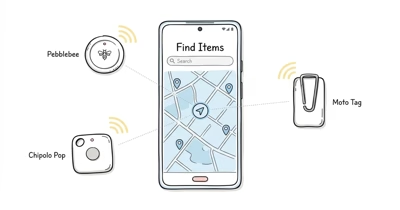
Google’s Find Hub network now spans over a billion Android phones, so an Android tracker can finally rival what AirTag does on iPhone. The catch is that not every tag taps that network equally well.
This guide ranks the seven best and adds a quick buyer’s guide for your keys, wallet, or bag.
- Moto Tag 2 is the top pick — UWB precision finding plus a rated long-life swappable CR2032 battery.
- Chipolo Pop is the best value — $29, a 120dB ring, and a replaceable CR2032 rated up to about 1 year.
- Pebblebee Clip 5 recharges over USB-C — no coin cells to hunt down, plus a loud alarm.
- Cards beat tags for wallets — the Pebblebee Card 5 is 1.8mm thin with wireless Qi charging.
- Samsung SmartTag is not a Find Hub tag — it runs on Samsung’s own separate network.
What Sets the Best Find Hub Trackers Apart
Three things separate the best Find Hub trackers: how quickly a tag’s location refreshes once you walk away, how far its ring carries across a noisy room, and how cleanly setup goes on both Pixel and Galaxy phones.
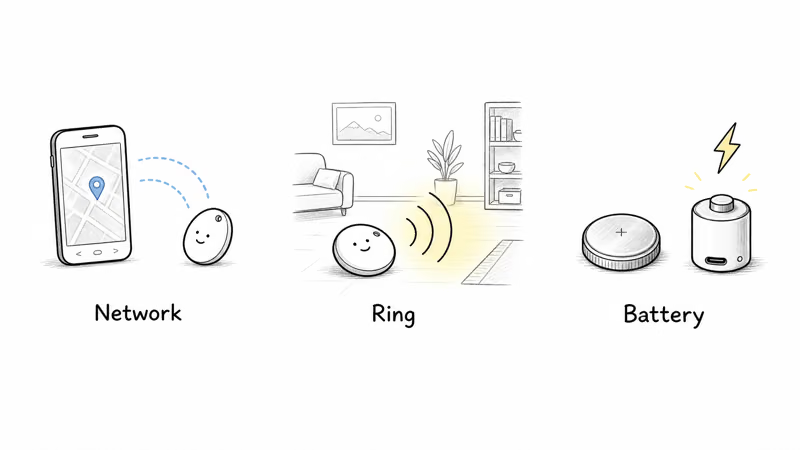
The gap between tags comes down to three things. The first is network responsiveness: Google’s Find My Device help explains that crowdsourced location depends on nearby Android phones, so dense areas refresh quickly while quiet streets lag. The second is ring volume. The third is battery type, where swappable coin cells run a year or more and rechargeable tags trade that for a louder alarm.
Find Hub Trackers Compared at a Glance
Here’s how the seven stack up on the specs that matter most for daily tracking. Prices reflect single-unit list price at the time of writing.
| Tracker | Best for | Battery | UWB | Water | Price |
|---|---|---|---|---|---|
| Moto Tag 2 | Overall | ~500 days, CR2032 | Yes | IP68 | $29.99 |
| Chipolo Pop | Value | ~1 year, CR2032 | No | IP55 | $29 |
| Pebblebee Clip 5 | Rechargeable | ~12 months, USB-C | No | IP66 | $35 |
| eufy SmartTrack E40 | Slim wallet card | ~5 months, Qi | No | IPX5 | $34.99 |
| Xiaomi Tag | Budget | ~1 year, CR2032 | No | IP67 | $14.99 |
| Pebblebee Card 5 | Wallet | ~18 months, Qi | No | IP66 | $35 |
| Chipolo LOOP | Loud ring | ~1 year, USB-C | No | IP67 | $39 |
The 7 Best Find Hub Trackers for Android in 2026
1. Motorola Moto Tag 2: Best Overall
The Moto Tag 2 is the only tag here with true ultra-wideband precision finding, and it shows. Its UWB guides you with an on-screen arrow and distance readout, while Bluetooth-only tags only get you to the right room. Motorola’s spec sheet for the Tag 2 lists an IP68 rating — a step up from the original Moto Tag’s IP67.
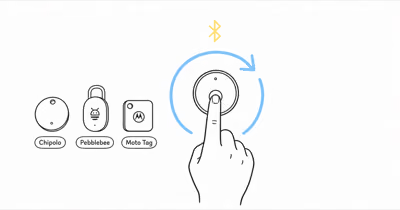
If you need the pairing steps first, use our guide to set up a Moto Tag before comparing specs.
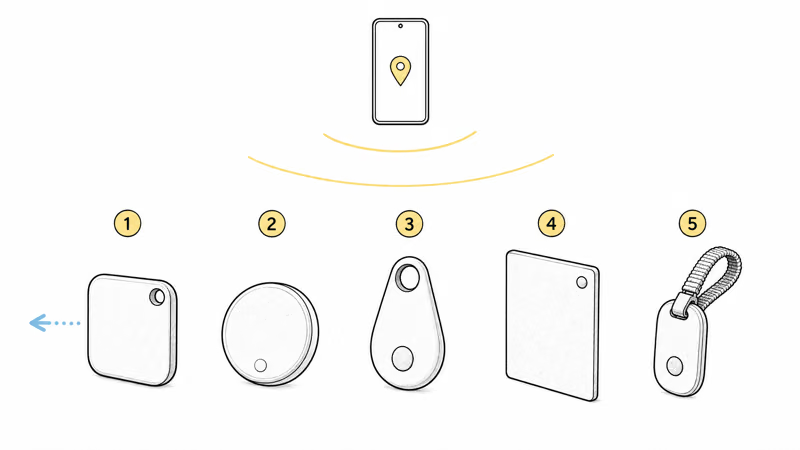
At $29.99 since the June 2026 U.S. launch, the rated long-life CR2032 battery means you won’t be charging it every month. If you’re weighing it against Apple’s tag, see how it stacks up in our Moto Tag 2 versus AirTag 2 comparison.
§ Review summary
Motorola Moto Tag 2 — at a glance
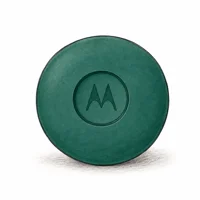
≡ Specs
- Price (1-pack)
- $29.99 (June 2026 U.S. launch)
- Battery
- Rated ~500 days, CR2032
- Precision finding
- UWB
- Water resistance
- IP68
✓ Pros
- +UWB precision finding gives close-range arrows
- +Swappable long-life CR2032 battery
- +IP68 water and dust resistance
✗ Cons
- −No built-in keychain hole, so a holder costs extra
§ Buy if
It's the closest thing Android has to an AirTag, and the only pick here with real UWB precision finding.
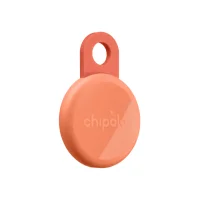
2. Chipolo Pop: Best Value
If you don’t need UWB, the Chipolo Pop is the smartest $29 you can spend. Its 120dB ring is among the loudest published specs for any Bluetooth tag, and the replaceable CR2032 is rated up to about 1 year. The trade-off is no precision finding, so you’ll follow the map and the sound rather than an arrow.
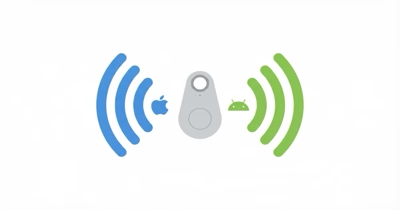
We like that the same tag works on both Find Hub and Apple’s network, just not at the same time. For the head-to-head against our top pick, read our Moto Tag versus Chipolo Pop breakdown.
§ Review summary
Chipolo Pop — at a glance
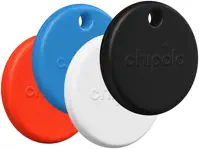
≡ Specs
- Price (1-pack)
- $29
- Battery
- ~1 year, CR2032
- Ring volume
- 120dB
- Water resistance
- IP55
✓ Pros
- +120dB ring, among the loudest tags here
- +Replaceable CR2032 rated up to about 1 year
- +Works on Find Hub or Apple's network
✗ Cons
- −No UWB, so no arrow-guided finding
§ Buy if
It's the value champ: you give up precision finding but keep a loud alarm and dual-network flexibility for $29.
3. Pebblebee Clip 5: Best Rechargeable
The Clip 5 solves the one chore every coin-cell tag forces on you: hunting for a fresh battery. It recharges over USB-C, Pebblebee rates it for about a year per charge, and its built-in keyring loop means no extra accessory. The high-volume alarm spec and IP66 body fit keys, bags, splashes, and rain.
It’s our pick for anyone who’d rather plug in twice a year than keep CR2032s in a drawer. Our Pebblebee review covers long-term durability.
§ Review summary
Pebblebee Clip 5 — at a glance
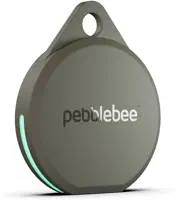
≡ Specs
- Price (1-pack)
- $35
- Battery
- ~12 months, USB-C
- Precision finding
- No
- Water resistance
- IP66
✓ Pros
- +USB-C rechargeable, ~12 months per charge
- +Built-in keyring loop, no case needed
- +Loud alarm and IP66 durability
✗ Cons
- −Shorter run time than a coin-cell tag
§ Buy if
If you hate swapping batteries, this is the one: USB-C charging and a loud ring in a key-ready shell.
4. eufy SmartTrack Card E40: Best Slim Card
At 1.7mm the E40 slides into a wallet’s card slot without the bulge a keyfob tag creates. It charges wirelessly on a Qi pad, eufy rates it for about five months, and its 100dB ring is built for nearby wallet finding. There’s no UWB here, but cards rarely need arrow-level precision.
It’s the best balance of price and slimness if you want a wallet tracker that disappears. For other thin options, see our roundup of the best wallet tracker cards.
§ Review summary
eufy SmartTrack Card E40 — at a glance
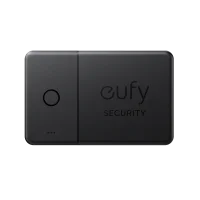
≡ Specs
- Price (1-pack)
- $34.99
- Battery
- ~5 months, Qi
- Thickness
- 1.7mm
- Water resistance
- IPX5
✓ Pros
- +1.7mm thin, fits a card slot
- +Wireless Qi charging, ~5 months
- +100dB ring loud enough for a wallet
✗ Cons
- −No precision finding
§ Buy if
It's the slim-card sweet spot: thin enough to forget it's there, with Qi charging so there's nothing to swap.
5. Xiaomi Tag: Best Budget
At $14.99 the Xiaomi Tag undercuts everything else here, and for a single bag or a kid’s backpack that’s hard to argue with. It uses a CR2032 rated for about a year, carries an IP67 rating, and pairs through the Find Hub app. You won’t get a UWB arrow or a class-leading ring, but for basic “where did I leave it” duty it does the job.
Buy a couple, tag the items you lose most, and you’ve spent less than one premium tag. Our full Xiaomi Tag review covers the app quirks worth knowing.
§ Review summary
Xiaomi Tag — at a glance
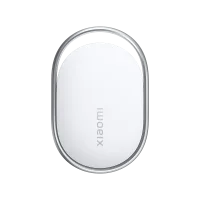
≡ Specs
- Price (1-pack)
- $14.99
- Battery
- ~1 year, CR2032
- Precision finding
- No
- Water resistance
- IP67
✓ Pros
- +Cheapest Find Hub tag at $14.99
- +~1-year replaceable CR2032
- +IP67 dust and water resistance
✗ Cons
- −No UWB and a quieter ring than rivals
§ Buy if
It's the budget buy: skip the frills and tag the things you lose most for under $15 each.
6. Pebblebee Card 5: Best for Wallets
The Card 5 is the wallet tag we’d hand a friend. It’s 1.8mm thin, recharges on a Qi pad so there’s no slot to pry open, and a single charge is rated for roughly 18 months of light use, the longest of any card here. The IP66 body also handles splash-level messes better than cheaper cards.
It costs $35, but the battery longevity earns it. If you’re stuck between networks, our Card 5 network choice guide walks through the decision.
§ Review summary
Pebblebee Card 5 — at a glance
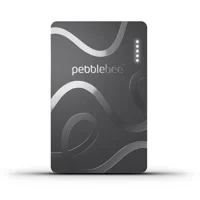
≡ Specs
- Price (1-pack)
- $35
- Battery
- ~18 months, Qi
- Thickness
- 1.8mm
- Water resistance
- IP66
✓ Pros
- +1.8mm thin, fits a wallet slot
- +Qi charging, ~18 months per charge
- +IP66 spill resistance
✗ Cons
- −Pricier than a basic coin-cell tag
§ Buy if
It's the wallet champion: the thinnest long-life card here, with Qi charging and no slot to pop open.
7. Chipolo LOOP: Loudest Ring
If your keys vanish into couch cushions daily, the LOOP’s 125dB alarm is the loudest published ring spec on this list. It charges over USB-C, is rated for about a year per charge, and the woven loop clips to a bag without a separate ring. The IP67 rating handles rain and the occasional drop in a puddle.
At $39 it’s a touch more than the Pop, but you’re paying for that extra volume and the rechargeable design. Read our full Chipolo LOOP review for the wear-and-tear details.
§ Review summary
Chipolo LOOP — at a glance
≡ Specs
- Price (1-pack)
- $39
- Battery
- ~1 year, USB-C
- Ring volume
- 125dB
- Water resistance
- IP67
✓ Pros
- +125dB alarm, the loudest tag here
- +USB-C rechargeable, ~1 year per charge
- +Integrated loop and IP67 durability
✗ Cons
- −Slightly pricier than the Chipolo Pop
§ Buy if
It's for the chronically misplaced: the loudest ring of the bunch in a rechargeable, bag-ready body.
How Do You Choose the Right Find Hub Tracker?
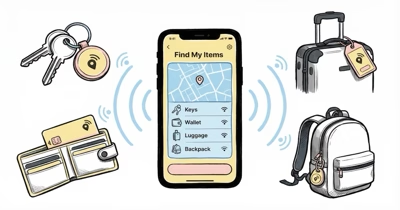
Start with the item, not the tag. Keys and bags want a keyfob shape with a loud ring; wallets want a thin card; and if you regularly lose things inside the house, precision finding earns its premium.
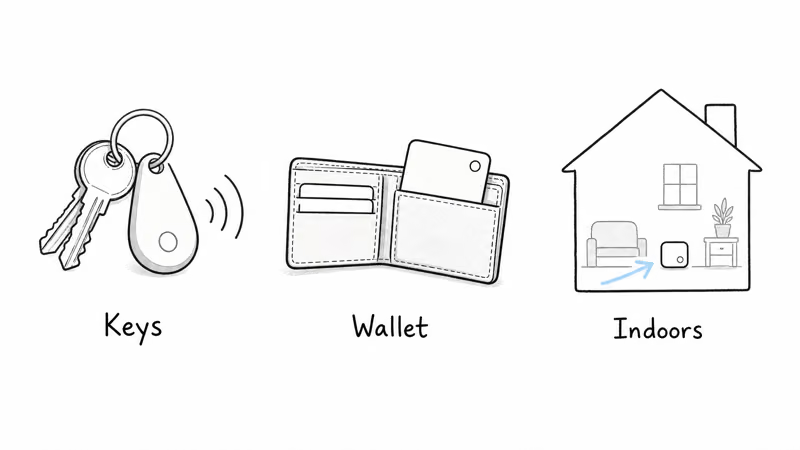
Choose a UWB tag if…
- You lose things inside the house, not just out in the world
- You want an on-screen arrow instead of a beeping map pin
- You’re fine paying a little more for the Moto Tag 2
Choose a Bluetooth tag if…
- You mostly need to locate items left in public places
- A loud ring matters more than an exact arrow
- You want the lowest price or the longest battery
See our guide to the best Bluetooth trackers for Android for the basics, plus whether AirTags work with Android for iPhone switchers.
What Is Google Find Hub and How Does It Work?
Find Hub is Google’s crowdsourced finding network. According to 9to5Google’s rebrand report, Google announced that Find My Device would become Find Hub in May 2025. Wikipedia’s Find Hub entry states that the network now reaches over a billion Android devices, which is what makes it a real rival to Apple’s Find My.
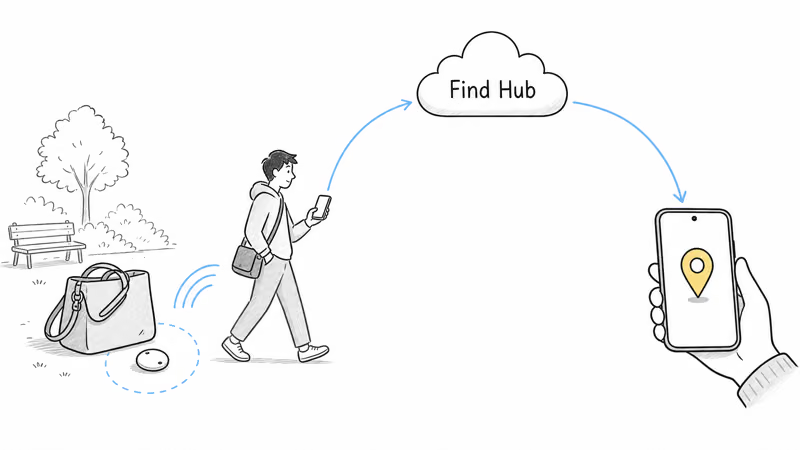
Here’s the part that matters for a tracker: when your tag is out of Bluetooth range, any nearby Android phone can anonymously report its location back to you. Google’s official Find Hub overview explains how that relay works without exposing the helping phone’s identity. For a deeper look at compatible hardware, see our Google Find Hub tracker guide.
Samsung SmartTag Is Not a Find Hub Tracker
Our Google Find Hub vs Samsung SmartThings Find guide compares the two networks head to head.
This trips up a lot of Android shoppers, so it’s worth saying plainly. The Samsung Galaxy SmartTag runs on Samsung’s own SmartThings Find network, not Google Find Hub, and it only works with Galaxy phones.
A Samsung SmartTag won’t show up in the Find Hub app, and it can’t use the billion-device Find Hub network. If you don’t own a Galaxy phone, skip it.
That difference is exactly why the SmartTag isn’t on the list above, even though it’s a perfectly good tracker in its own right. We compare the two ecosystems directly in Chipolo against the Samsung SmartTag, which is the matchup most Android shoppers actually face when they start hunting. And if you’re cross-shopping Apple’s tag as well, our AirTag versus SmartTag comparison lays out exactly how the platform lock-in plays out on each side.
For the wider field, see how it fares in SmartTag versus Tile, or weigh the platforms in our Find Hub versus Apple Find My breakdown before you commit.
Bottom Line
For most Android owners the Motorola Moto Tag 2 is the tag to buy, because UWB precision finding and a 500-day battery put it a clear step ahead of everything else on Find Hub. If you don’t need the arrow, the Chipolo Pop delivers a louder ring and dual-network flexibility for $29.
Match the body to the item and you can’t go far wrong: a card for the wallet, a rechargeable clip for keys you lose at home, and a cheap Xiaomi Tag for the bags you just want to keep tabs on.
FAQ
What is the best Find Hub tracker?
The Motorola Moto Tag 2 is the best overall, because it’s the only Find Hub tag with ultra-wideband precision finding and it pairs that with a rated long-life battery. If you want the best value instead, the $29 Chipolo Pop gives you a loud 120dB ring and a replaceable CR2032 rated up to about 1 year.
Do Find Hub trackers work with all Android phones?
Yes. Find Hub works on phones running Android 9 or newer, regardless of brand, so a Pixel, a OnePlus, and a Motorola can all use the same tag. The one exception to watch for is Samsung’s own SmartTag, which uses a separate Samsung network rather than Find Hub.
Does a Find Hub tracker need UWB?
No, but it helps for finding things at close range. UWB gives you an on-screen arrow once your phone is close enough for precision finding, which is useful indoors. Without UWB, you still get a map location and a ring, which is usually enough to find an item you left in a public place.
Why isn’t my Find Hub tracker updating its location?
The most common cause is that no Android phone has passed near the tag recently, since the network relies on nearby devices to report a location. Permissions and a dead battery are the other usual culprits. Our guide on a tag that isn’t updating its location walks through every fix.
Can someone track me with a Find Hub tag?
It’s possible to misuse any tracker, which is why both Google and Apple build in unwanted-tracking alerts. Apple’s cross-platform tracking detection standard means an unknown Find Hub tag traveling with you can trigger a warning on both Android and iPhone, so a stray tag won’t follow you silently.
How long do Find Hub tracker batteries last?
It depends on the type. Coin-cell tags like the Chipolo Pop are rated up to about 1 year before you swap the CR2032, while rechargeable tags such as the Pebblebee Clip 5 are rated about a year per USB-C charge. Wallet cards that charge on a Qi pad land in between, at roughly five to eighteen months.
Is a Find Hub tag as accurate as an AirTag?
With UWB, yes. The Moto Tag 2 matches an AirTag’s close-range arrow because both use ultra-wideband. The bigger factor is network density: since Find Hub now spans more than a billion Android phones, coverage should be competitive in most populated areas.
Can I use one tracker on both Find Hub and Apple Find My?
You can switch a tag between networks, but not run both at once. Several tags here, including the Chipolo Pop, let you register on either Find Hub or Apple’s network during setup. Once paired to one, the tag only reports to that network until you reset and re-pair it to the other.