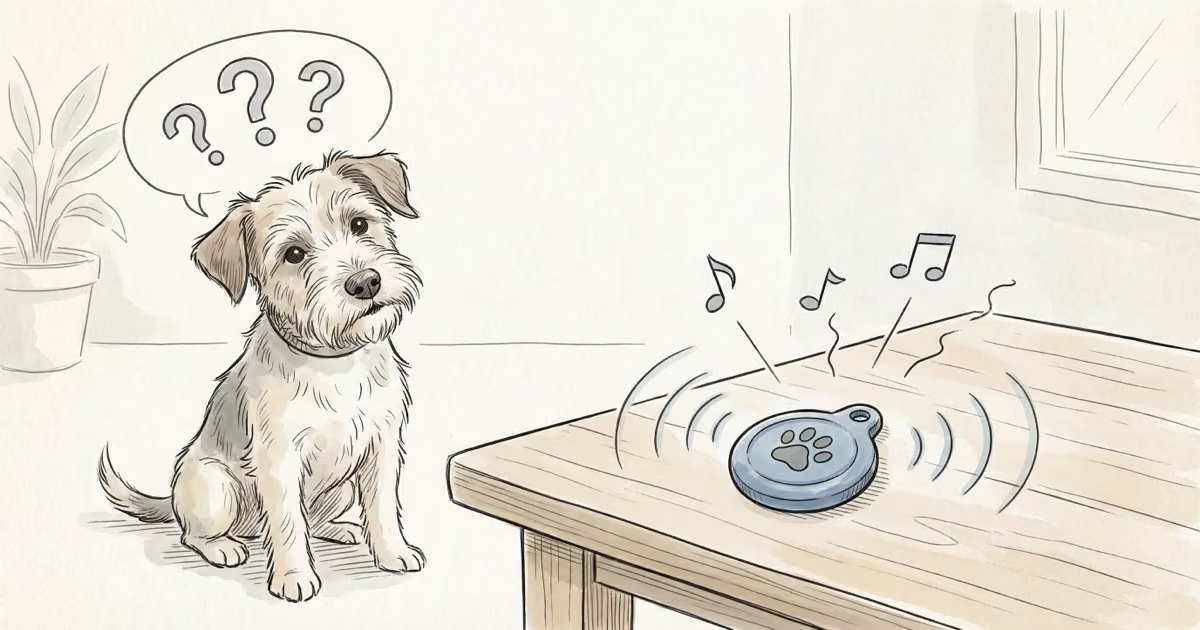
If your Yip Smart Tag started chirping out of nowhere, you’re not alone. This is one of the most common complaints from Yip owners, and the good news is that it rarely means something is actually broken. In most cases, you can fix it yourself in under five minutes with no tools beyond a coin.
Key Takeaways
- Loose or misaligned battery springs are the most common cause of random Yip Smart Tag beeping
- The fix takes under 5 minutes using just a coin and your fingers to realign the springs
- Replace the CR2032 battery every 6 months to prevent power-related glitches
- Signal interference from devices like wireless earbuds and microwaves can trigger phantom beeps
- Contact Yip support at 1-844-932-1735 if the beeping continues after troubleshooting
What Causes Random Beeping in Yip Tags?
Before you start taking things apart, it helps to know what you’re dealing with. Four issues cover roughly 90% of all random beeping cases.
Loose or misaligned battery springs
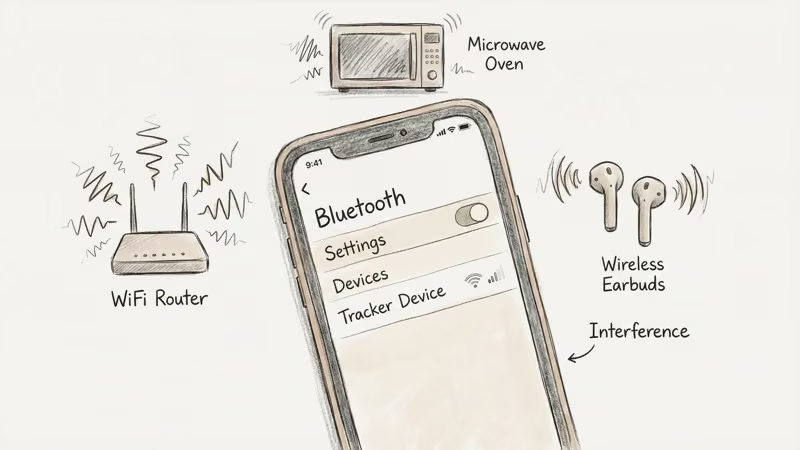
The two tiny metal springs inside the battery compartment press against the CR2032 cell to maintain a steady connection. If either spring flattens or shifts, the power supply becomes intermittent. That triggers the tag’s internal logic to emit error beeps.
This is the number-one cause. It’s also the easiest to fix.
Worn or faulty battery
CR2032 batteries lose voltage gradually, but a defective cell can cause sudden drops that confuse the tag’s firmware. Even a battery you installed recently could be a dud. If realigning the springs doesn’t help, swap in a fresh cell from a reputable brand like Energizer or Panasonic.
Signal interference
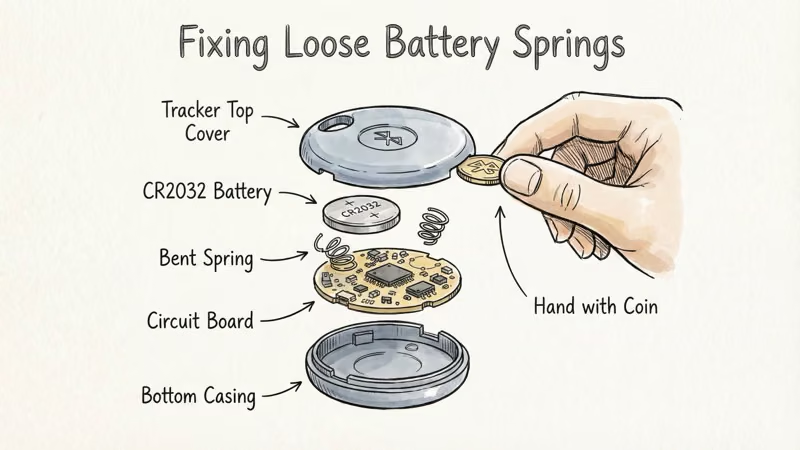
Bluetooth operates on the 2.4 GHz band, shared by Wi-Fi routers, microwaves, wireless earbuds, baby monitors, and even Christmas light timers. Heavy interference can disrupt the tag’s connection to your phone, occasionally triggering alert beeps.
If the beeping only happens in specific rooms or near certain devices, interference is your likely culprit.
Outdated firmware
Like most Bluetooth trackers, Yip tags receive firmware updates through the companion app. An outdated firmware version can contain bugs that cause phantom beeps. Connecting your tag to the Yip app should prompt any available updates.
Step-by-Step Troubleshooting Guide
Follow these steps in order. Most people stop at Step 2 because that’s where the problem gets fixed.
Step 1: Remove the back cover and battery
Locate the round notch on the back of your Yip tag. Insert a coin and twist counterclockwise until the cover pops off. Use a pen tip to gently pry up the CR2032 battery. Don’t use metal tweezers or knives — you risk damaging the springs.
Step 2: Locate and adjust the battery springs
With the battery out, you’ll see two small metal springs, one on each side of the compartment. They should point upward at a slight angle.
If either spring looks flattened or bent sideways, gently lift it with your fingertip. Pull at an angle, not straight up. These springs are delicate and will snap if you force them.
When both springs look symmetrical and stand tall enough to press firmly against a battery, you’re done.
Step 3: Reinsert the battery and close
Place the CR2032 battery back in with the positive (+) side facing up. It should sit flat without wobbling. Line up the back cover and press down until it clicks. Give a clockwise twist with the coin to lock it.
That’s it. In our experience helping readers troubleshoot, this three-step process resolves the beeping about 8 out of 10 times.
When to Contact Yip Customer Support
If the beeping persists after adjusting the springs and installing a fresh battery, the issue is probably deeper than a DIY fix can reach.
Reasons to call support:
- A defective or malfunctioning internal speaker
- Firmware corruption that a standard update won’t resolve
- Physical damage to the tag’s circuit board
- A battery compartment that won’t hold contact despite spring adjustment
Yip’s support team is available by phone, text, or email:
- Phone/Text: 1-844-932-1735
- Email: info@yiptracker.com
They can run remote diagnostics and arrange warranty replacement if the tag is within its 1-year limited warranty. The warranty covers manufacturing defects but not accidental damage or normal wear.
If you’re troubleshooting a different tracker brand, check our guides on fixing a beeping AirTag or stopping a Tile from beeping.
Tips to Prevent Future Beeping
Replace the battery every 6 months
Yip recommends a fresh CR2032 every six months, even if the old one still has charge. Proactive swaps prevent the voltage drops that cause erratic behavior. Stick with major brands — Energizer, Duracell, Panasonic — and check the date code on the packaging to avoid old stock.
Keep the Yip app updated
Set the app to auto-update on your phone. Firmware patches often fix exactly the kind of glitch that causes phantom beeping. It takes seconds but saves headaches.
Minimize Bluetooth interference
You can’t avoid every 2.4 GHz device, but a few habits help:
- Don’t store Yip tags in the same drawer as wireless earbuds or fitness trackers
- Keep tags away from running microwaves and baby monitors
- Avoid placing tags directly on top of laptops or tablets
Check springs during battery changes
Every time you open the tag for a battery swap, take three seconds to eyeball the springs. If they look flat, lift them before inserting the new cell. This one habit prevents most repeat beeping issues.
Bottom Line
Random beeping from a Yip Smart Tag is annoying but almost never serious. Open the back, adjust the springs, and replace the battery. That fixes the vast majority of cases. If it doesn't, Yip's support team can take it from there. For a broader look at this tracker, read our Yip Smart Tag review, or see how it compares to Apple's tracker in our Yip Smart Tag vs AirTag comparison.
FAQ
Why does my Yip tag beep randomly?
Loose battery springs are the most common cause. The springs inside the compartment lose contact with the CR2032 cell, creating intermittent power that triggers error beeps. A worn battery, outdated firmware, or Bluetooth interference from nearby devices can also cause it.
How do I open my Yip tag to access the battery?
Insert a coin into the round notch on the back cover and twist counterclockwise until the cover pops off. Use a pen tip to gently pry up the flat CR2032 battery. Don't use sharp metal tools, which can damage the internal springs.
What battery does the Yip Smart Tag use?
A standard CR2032 3V lithium coin cell. You can find them at any pharmacy, hardware store, or online. Stick with brands like Energizer, Duracell, or Panasonic for the most reliable performance.
How often should I change the Yip tag battery?
Every 6 months. Even if the battery still shows charge, proactive replacement prevents the voltage inconsistencies that cause phantom beeping and other glitches.
My tag still beeps after adjusting the springs -- what now?
Try a brand-new battery first. If that doesn't work, update the firmware through the Yip app. Still beeping? Contact Yip support at 1-844-932-1735. They can run diagnostics and arrange a warranty replacement if the tag is defective.
Are beeping Yip tags covered under warranty?
Yes, if the beeping is caused by a manufacturing defect. Yip offers a 1-year limited warranty that covers faulty speakers, circuit boards, and other hardware issues. It doesn't cover accidental damage, water submersion, or normal wear.
Is some occasional beeping from a Yip tag normal?
Beeps triggered by deliberate actions are normal -- pressing the button, removing the tag from its base, updating firmware, or using the "find my tag" feature in the app. Unprompted beeping with no interaction is not normal and should be troubleshot using the steps above.