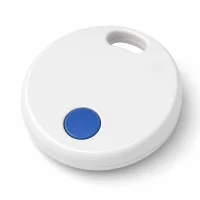
If your Yip Smart Tag started chirping out of nowhere, you’re not alone. This is one of the most common complaints from Yip owners, and the good news is that it rarely means something is actually broken. Start with a quick battery-contact check before assuming the tag needs replacement.
- Loose or misaligned battery springs are the most common cause of random Yip Smart Tag beeping
- The spring check uses just a coin and your fingers to realign the contacts
- Replace the CR2032 battery on a regular schedule to prevent power-related glitches
- Signal interference from devices like wireless earbuds and microwaves can trigger phantom beeps
- Contact Yip support at 1-844-932-1735 if the beeping continues after troubleshooting
What Causes Random Beeping in Yip Tags?
Before you start taking things apart, it helps to know what you’re dealing with. Four common issues explain most random-beeping complaints.
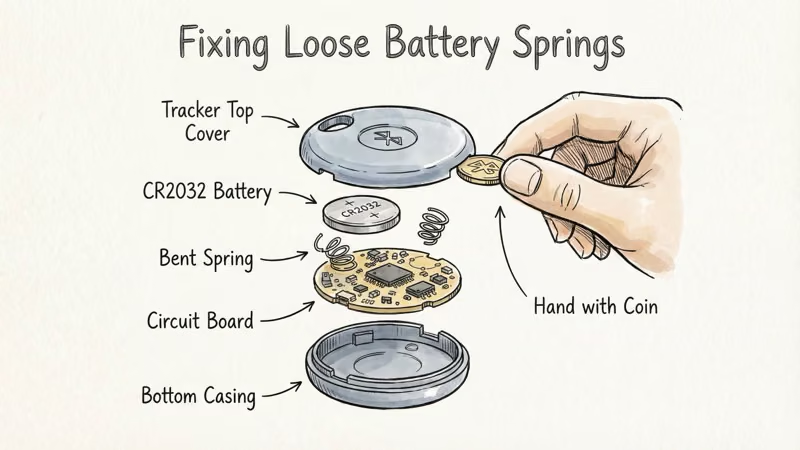
Loose or misaligned battery springs
The two tiny metal springs inside the battery compartment press against the CR2032 cell to maintain a steady connection. If either spring flattens or shifts, the power supply becomes intermittent. That triggers the tag’s internal logic to emit error beeps.
This is also the easiest cause to check first.
Worn or faulty battery
CR2032 batteries lose voltage gradually, but a defective cell can cause sudden drops that confuse the tag’s firmware. Energizer’s CR2032 product page states that a fresh cell delivers 3.0V, and a failing cell can sag well below that threshold even though the tag still powers on. Even a battery you installed recently could be a dud. If realigning the springs doesn’t help, swap in a fresh cell from a reputable brand like Energizer or Panasonic.
Signal interference
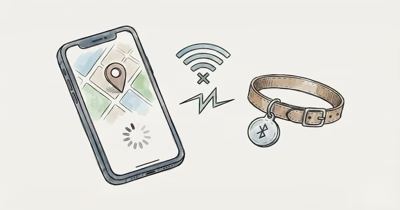
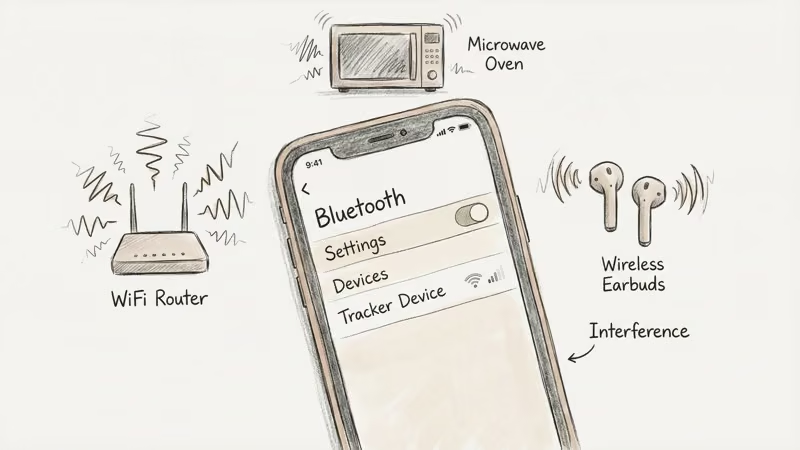
Bluetooth operates on the 2.4 GHz band, shared by Wi-Fi routers, microwaves, wireless earbuds, baby monitors, and even Christmas light timers. The FCC’s guide to RF interference confirms that household devices can disrupt wireless connections nearby. A tag sitting next to a running microwave can drop its connection repeatedly until the appliance shuts off.
If the beeping only happens in specific rooms or near certain devices, interference is your likely culprit.
Outdated firmware
Like most Bluetooth trackers, Yip tags receive firmware updates through the companion app. An outdated firmware version can contain bugs that cause phantom beeps. Apple’s Yip app listing confirms that the iPhone app is available through the App Store, so update there before assuming the tag hardware failed.
Step-by-Step Troubleshooting Guide
Follow these steps in order. Start with the battery compartment because it’s quick, reversible, and doesn’t require tools beyond a coin.
Step 1: Remove the back cover and battery
Locate the round notch on the back of your Yip tag. Insert a coin and twist counterclockwise until the cover pops off. Use a pen tip to gently pry up the CR2032 battery. Don’t use metal tweezers or knives — you risk damaging the springs.
Step 2: Locate and adjust the battery springs
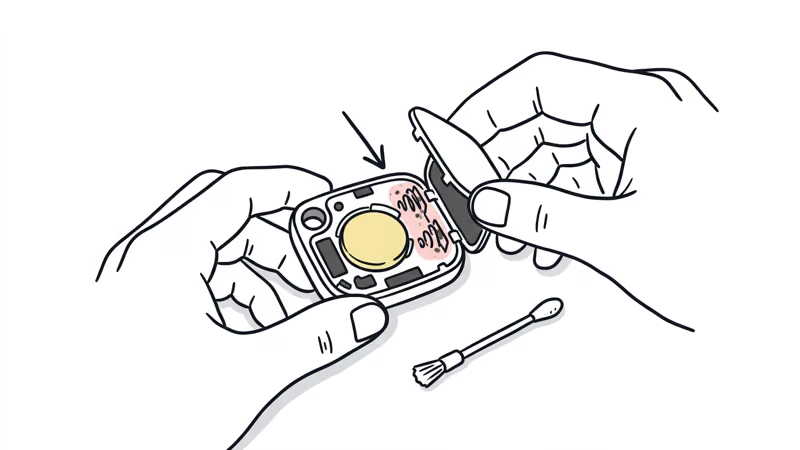
With the battery out, you’ll see two small metal springs, one on each side of the compartment. They should point upward at a slight angle.
If either spring looks flattened or bent sideways, gently lift it with your fingertip. Pull at an angle, not straight up. These springs are delicate and will snap if you force them.
When both springs look symmetrical and stand tall enough to press firmly against a battery, you’re done.
Step 3: Reinsert the battery and close
Place the CR2032 battery back in with the positive (+) side facing up. It should sit flat without wobbling. Line up the back cover and press down until it clicks. Give a clockwise twist with the coin to lock it.
That’s it. This three-step process addresses the common worn-battery or misaligned-spring scenario.
When Should You Contact Yip Customer Support?
If the beeping persists after adjusting the springs and installing a fresh battery, the issue is probably deeper than a DIY fix can reach.
Reasons to call support:
- A defective or malfunctioning internal speaker
- Firmware corruption that a standard update won’t resolve
- Physical damage to the tag’s circuit board
- A battery compartment that won’t hold contact despite spring adjustment
Yip’s support team is available by phone, text, or email:
- Phone/Text: 1-844-932-1735
- Email: info [at] yiptracker [dot] com
They can run remote diagnostics and arrange warranty replacement if the tag is within its 1-year limited warranty. The warranty covers manufacturing defects but not accidental damage or normal wear.
For other brands, use our AirTag and Tile beeping guides.
How to Prevent Future Beeping
Replace the battery on a regular schedule
Proactive CR2032 swaps help prevent the voltage drops that cause erratic behavior. Stick with major brands — Energizer, Duracell, Panasonic — and check the date code on the packaging to avoid old stock.
Keep the Yip app updated
Set the app to auto-update on your phone. Firmware patches often fix exactly the kind of glitch that causes phantom beeping. It takes seconds but saves headaches.
Minimize Bluetooth interference
You can’t avoid every 2.4 GHz device, but a few habits help:
- Don’t store Yip tags in the same drawer as wireless earbuds or fitness trackers
- Keep tags away from running microwaves and baby monitors
- Avoid placing tags directly on top of laptops or tablets
Check springs during battery changes
Every time you open the tag for a battery swap, check the springs before inserting the new cell. If they look flat, lift them gently so the battery can make steady contact.
Bottom Line
Random beeping from a Yip Smart Tag is annoying, but the first checks are simple. Open the back, adjust the springs, and replace the battery before assuming the tag has failed.
If it doesn't, Yip's support team can take it from there. For a broader look at this tracker, read our Yip Smart Tag review, or see how it compares to Apple's tracker in our Yip Smart Tag vs AirTag comparison.
FAQ
Why does my Yip tag beep randomly?
Loose battery springs are a common cause. The springs inside the compartment lose contact with the CR2032 cell, creating intermittent power that triggers error beeps. A worn battery, outdated firmware, or Bluetooth interference from nearby devices can also cause it.
How do I open my Yip tag to access the battery?
Insert a coin into the round notch on the back cover and twist counterclockwise until the cover pops off. Use a pen tip to gently pry up the flat CR2032 battery. Don't use sharp metal tools, which can damage the internal springs.
What battery does the Yip Smart Tag use?
A standard CR2032 3V lithium coin cell. You can find them at any pharmacy, hardware store, or online. Stick with brands like Energizer, Duracell, or Panasonic for the most reliable performance.
How often should I change the Yip tag battery?
Replace it on a regular schedule, and sooner if the app shows low battery or the tag starts acting erratically. Proactive replacement prevents the voltage inconsistencies that cause phantom beeping and other glitches.
My tag still beeps after adjusting the springs -- what now?
Try a brand-new battery first. If that doesn't work, update the firmware through the Yip app. Still beeping? Contact Yip support at 1-844-932-1735. They can run diagnostics and arrange a warranty replacement if the tag is defective.
Are beeping Yip tags covered under warranty?
Yes, if the beeping is caused by a manufacturing defect. Yip offers a 1-year limited warranty that covers faulty speakers, circuit boards, and other hardware issues. It doesn't cover accidental damage, water submersion, or normal wear.
Is some occasional beeping from a Yip tag normal?
Beeps triggered by deliberate actions are normal -- pressing the button, removing the tag from its base, updating firmware, or using the "find my tag" feature in the app. Unprompted beeping with no interaction isn't normal and should be troubleshot using the steps above.