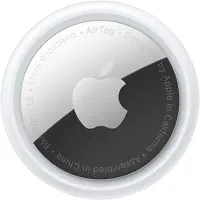
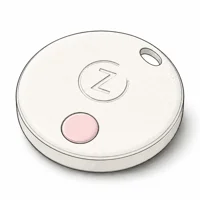
Zen Lyfe SwiftFinder is a $10-15 Bluetooth tracker with two-way finding and a replaceable CR2032 battery. It falls short of AirTag/Tile on network and precision.
Most people don’t need a $29 AirTag to find their keys. They need something that rings loudly when they tap a button on their phone. The Zen Lyfe SwiftFinder does exactly that, for about a third of the price.
This review breaks down what the SwiftFinder promises, where Bluetooth limits show up, and who should buy one.
- The SwiftFinder costs around $10-15 and has no monthly fees, making it the cheapest Bluetooth tracker worth considering
- Bluetooth range is advertised around 130 feet in ideal conditions, but walls and interference cut into any open-air claim
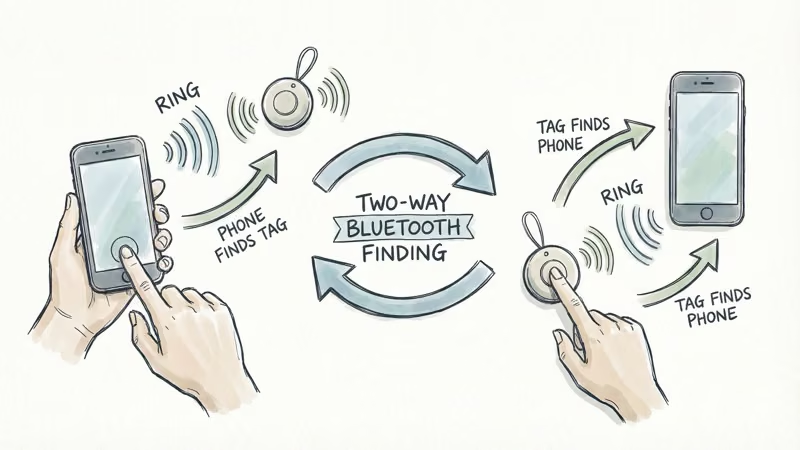
- Two-way finding lets you ring the tag from your phone or ring your phone from the tag, even on silent mode
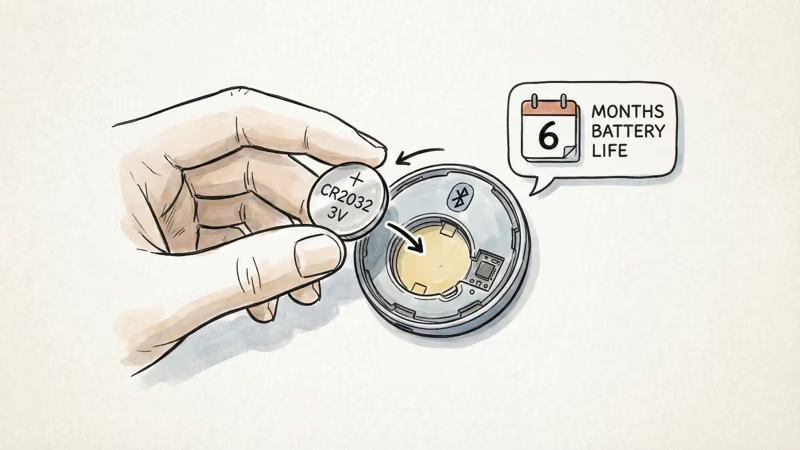
- The CR2032 battery is user-replaceable, so you don’t throw away the tag when the cell dies
- No GPS, no Ultra Wideband, and a small community network limit its usefulness for items lost far from home
Zen Lyfe SwiftFinder: At a Glance
§ Review summary
Zen Lyfe SwiftFinder — at a glance
≡ Specs
- Price
- $10-15 one-time, no subscription
- Connectivity
- Bluetooth 5.0
- Range
- Advertised 130 ft max in open air; lower indoors
- Location accuracy
- Proximity estimate, not a precise pin
- Two-way finding
- Yes -- ring tag from phone, or phone from tag
- Battery
- Replaceable CR2032
- Platform support
- iOS + Android (SwiftFinder app)
- Water resistance
- None rated
- Community network
- Yes (small) -- relays last-known location
- GPS / UWB
- No / No
✓ Pros
- +$10-15 with no monthly fees -- cheapest tracker worth considering
- +Two-way finding rings tag OR phone (even on silent)
- +Separation alerts prevent leaving items behind
- +Replaceable CR2032 battery
- +Works with both iOS and Android
- +Community search relays last-known location if lost beyond Bluetooth
✗ Cons
- −Advertised 130 ft max range drops indoors
- −No waterproofing rating -- keep dry
- −Location shows general area, not a precise pin
- −Small community network vs AirTag's 1B+ Find My devices
- −No GPS, no Ultra Wideband, no real-time tracking
§ Buy if
- ·Buy if you mostly need to find keys/wallet inside the house
- ·Buy if you're on Android or share between iOS + Android in your household
- ·Buy if you want the cheapest tracker that does basic two-way finding
- ·Skip if you need precise outdoor location for items lost away from home -- get AirTag or Chipolo Pop instead
- ·Skip if you need waterproofing for outdoor gear
What Is the Zen Lyfe SwiftFinder?
The SwiftFinder is a small Bluetooth tracking tag you attach to items you frequently misplace. It pairs with the SwiftFinder app on iOS or Android and gives you two core features: ring the tag to find your stuff, or press the tag’s button to ring your phone.
It’s about the size of a thick coin. Lightweight enough to clip onto a keyring or slip into a wallet pocket.
What sets it apart
- Two-way finding — Most budget trackers only let you ring the tag. The SwiftFinder can also ring your phone, even when it’s on silent. Handy when you’ve lost both your keys and your phone.
- Separation alerts — Get a notification if you walk away from a tagged item. Set it up for a work badge or bag and it can catch you before you reach the car.
- Community search — Mark an item as lost and other SwiftFinder users can anonymously relay its location to you. The network is small compared to Apple’s Find My, but it’s better than nothing.
- Tag sharing — Share access with family members, so two people can track the same shared car key through one tag.
Setup and Daily Use
Setup follows a standard app-pairing flow. Download the app, pull the battery tab, press the button on the tag, and follow the prompts. Compared to fiddlier budget trackers like the Esky Key Finder, the SwiftFinder’s pairing is simple.
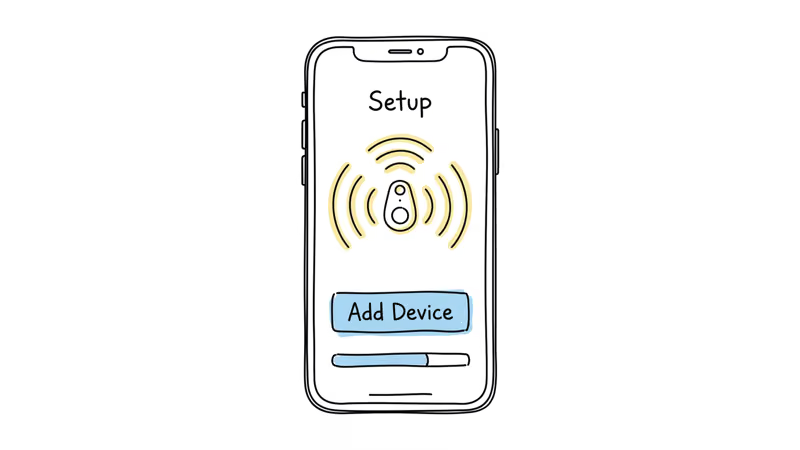
A few setup tips:
- Enable background app refresh and location services.
Without these, separation alerts won’t fire.
- If the tag seems unresponsive, press and hold the button for a few seconds to wake it from sleep mode.
In everyday use it’s simple: open the app, tap Find, and the tag rings. The speaker is designed for last-room finding, which is the core job for a key finder.
The app also shows a map with the tag’s last known location.
This helps when keys slip out of a pocket outdoors — the map narrows the search to the last stretch where the phone and tag were connected.
Where it falls short
The SwiftFinder’s usable range falls well short of the spec sheet once walls get involved.
The 130-foot Bluetooth range is the advertised maximum, not the real-world norm.
Inside a house with walls and furniture, a BLE tag like this can lose usable range quickly. There’s no graceful degradation — it’s connected or it’s not.
According to Zen Lyfe’s product specifications, the SwiftFinder uses Bluetooth 5.0 with a rated outdoor range of 130 feet. The Bluetooth SIG core specification describes Bluetooth 5.0 as a range-improving generation, but walls and interference still reduce practical performance.
Location accuracy shows general proximity, not a precise pin.
Because the SwiftFinder reports proximity rather than a GPS pin, location updates show a general area rather than a precise point. Expect to use the map to get close, then rely on the ring sound to close the gap.
Apple’s AirTag support page confirms that AirTag with Ultra Wideband uses Apple’s U1 chip to guide users within inches via Precision Finding — a hardware capability the SwiftFinder lacks.
How Does the SwiftFinder Compare to the Competition?
The SwiftFinder is the cheapest entry in this matchup. Whether that price-to-feature trade works for you depends on which competitor you’re weighing against.
Apple’s Find My network page states that the Find My network spans over a billion active relay devices — a scale advantage that AirTag and Find My-integrated trackers like Chipolo Pop carry over budget alternatives like SwiftFinder.
Tile’s Premium subscription page confirms that Smart Alerts and 30-day location history sit behind a $29.99/year paywall, while SwiftFinder ships those features free.
Wirecutter’s best Bluetooth tracker guide recommends matching tracker choice to ecosystem rather than chasing the cheapest tag. Here’s the head-to-head against the four most-asked-about alternatives.
SwiftFinder vs Apple AirTag
⇄ Head-to-head
Zen Lyfe SwiftFinder vs Apple AirTag
- +$10-15 vs AirTag's $29 -- less than half the cost
- +Cross-platform: works on iOS + Android
- +Two-way finding rings phone from tag
- +Apple Find My network of 1B+ relay devices
- +UWB Precision Finding guides within inches
- +IP67 water resistance
- −Tiny community network vs Find My's 1B+ devices
- −No UWB Precision Finding
- −No water resistance rating
- −iPhone only -- Android can't pair or track
- −No two-way phone finding (only AirTag → phone direction)
- −More than 2x the SwiftFinder's price
- ·Buy if you want the cheapest finder for in-home use
- ·Buy if you have a mixed iOS + Android household
- ·Best for iPhone users who need precise locate-on-lost
- ·Best for items that might leave the house
SwiftFinder vs Tile Pro
⇄ Head-to-head
Zen Lyfe SwiftFinder vs Tile Pro
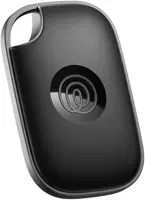
- +Replaceable CR2032 battery -- no need to buy a new tag every 3 years
- +Zero subscription fees -- all features free
- +Less than half the cost of Tile Pro
- +500 ft Bluetooth range (nearly 4x SwiftFinder's 130 ft)
- +Established Tile community network
- +Louder speaker -- audible across rooms
- −Smaller community network than Tile's app user base
- −130 ft max range vs Tile Pro's 500 ft
- −Quieter speaker
- −$29.99/year Tile Premium for Smart Alerts + location history
- −Mate/Slim/Sticker have sealed (non-replaceable) batteries
- −More than 2x the SwiftFinder price
- ·Buy if replaceable battery + zero subscription matters
- ·Buy if your use case is in-home tracking only
- ·Best if you need longer Bluetooth range outdoors
- ·Best if you're willing to pay for Tile Premium features
SwiftFinder vs Chipolo Pop
⇄ Head-to-head
Zen Lyfe SwiftFinder vs Chipolo Pop
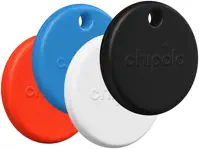
- +Cheaper -- $10-15 vs Chipolo's $29
- +Two-way finding (rings phone from tag)
- +Replaceable CR2032 battery
- +Louder published speaker claim
- +Apple Find My OR Google Find Hub network access
- +Wider color selection + lifetime warranty option
- −Quieter speaker than Chipolo's published loudness claim
- −No Apple Find My / Google Find Hub integration
- −Smaller community network
- −~2x SwiftFinder's price
- −Pick one network at setup -- switching requires factory reset
- −Same Bluetooth range class as SwiftFinder
- ·Buy if you want the cheapest two-way finder
- ·Buy if your search is always in-home
- ·Best for users who need Find My or Find Hub network access
- ·Best when speaker volume matters in noisy environments
SwiftFinder vs Samsung SmartTag 2
⇄ Head-to-head
Zen Lyfe SwiftFinder vs Samsung SmartTag 2
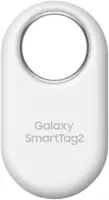
- +Cross-platform: iOS + Android via SwiftFinder app
- +Half the price of SmartTag 2
- +Two-way finding works on either OS
- +5B+ device SmartThings Find network
- +UWB precision finding on Galaxy S22+
- +Smart home control (turn lights on/off, etc.)
- +Longer published battery life than budget app-only tags
- −No smart home integration
- −No UWB precision finding
- −Much smaller relay network
- −Galaxy phone REQUIRED -- iPhone support is shallow
- −~2x SwiftFinder's price
- −Not useful if you don't have other Samsung devices
- ·Buy if you're not on Samsung Galaxy and want a cheap cross-platform tracker
- ·Best for Samsung Galaxy users (especially S22+ for UWB)
- ·Skip if you're not in the Samsung ecosystem -- SwiftFinder wins cross-platform
What Are Some Creative Uses Beyond Keys and Wallets
Beyond keys and wallets, the SwiftFinder has some less obvious applications:
- TV remote — Stuck between couch cushions for the hundredth time? Ring it.
- Pet collar — Not a GPS tracker, but for an indoor cat that hides, the ring feature helps.
- Child’s backpack — Separation alerts notify you if your kid leaves their bag behind.
- Car in a parking lot — The last-known-location map shows where you parked. Not precise, but narrows the search.
- Shared items — Use tag sharing so multiple family members can find the same item.
Bottom Line
The Zen Lyfe SwiftFinder does one thing well: it helps you find lost stuff around your house for around $12 and zero ongoing fees.
The two-way finding and separation alerts cover the basics well. Don’t expect AirTag-level precision or Tile-level network coverage. But if your needs are basic — ringing your keys when you can’t find them — the SwiftFinder delivers without overspending. For our full ranking of options, see the best key finders guide or our broader best Bluetooth trackers roundup.
FAQ
What is the Bluetooth range of the SwiftFinder?
Zen Lyfe advertises about 130 feet in ideal open-air conditions. Indoors with walls and furniture, expect less range because Bluetooth weakens through obstacles. The connection drops completely outside Bluetooth range with no partial tracking.
How accurate is the SwiftFinder’s location tracking?
It shows your item’s general area on a map rather than a precise pin. There’s no Ultra Wideband or directional guidance. You rely on the map to get close and the ring sound to pinpoint the exact spot.
How long does the SwiftFinder battery last?
It uses a standard CR2032 coin cell that costs a few dollars and is user-replaceable. No special tools needed.
Is the Zen Lyfe SwiftFinder waterproof?
No. There’s no official water resistance rating. Some users report it surviving accidental washing machine trips, but Zen Lyfe doesn’t guarantee water protection. Keep it dry for best results.
Does the SwiftFinder work with both iPhone and Android?
Yes. The SwiftFinder app is available on both iOS and Android. It uses its own app rather than Apple Find My or Google Find My Device, so it works cross-platform but has a smaller crowdsourced network.
Can the SwiftFinder track items in real time?
No. It only shows the last known location when the tag was within Bluetooth range of your phone. There’s no GPS and no live tracking as the item moves. For real-time tracking, look at GPS options like Tracki or dedicated GPS trackers.
What happens if my lost item is out of Bluetooth range?
The app displays the last location where it detected the tag. You can mark the item as lost to enable community search. If another SwiftFinder user passes near your item, their phone relays its location to you. The network is small, so this works better in urban areas.